[00:00:06] Speaker A: Are you in a constant fight with your technology?
And does it seem like the technology is winning?
Well, you've come to the right place.
It's time for Battle Born Tech with your host, Christy.
[00:00:28] Speaker B: Even though you almost have that egg balance, fall into Tech Talk. Talk now on every Tuesdays at 8pm Pacific, broadcasting on 95.1 FM in Carson City, Nevada and streaming everywhere on KMVC.org available anytime at your favorite podcast app. Wondering how to Google like it's 1999? Call Battleborn Tech, 775-241-3571. We'll tell you the incantation to banish AI.
775-241-3571. Opinions on Battleborn Tech are those of the hosts and callers this week. We welcome Lee, Brian and Catherine. The opinions expressed on the show do not necessarily reflect those of KNVC or Computer Corps who never spring forward or fall back because they're always following utc.
[00:01:22] Speaker A: Well, we've got some news here. If you use Microsoft Publisher for, well, publishing, they're getting rid of it in October, so there's not many other alternatives to open your pub files.
[00:01:35] Speaker B: Not just getting rid of it. You won't be able to open your files if you're using the web version or online version yao. So get those pub files printed out to PDF and at least you'll have a copy of it. You may have to redo them if you can't open them in LibreOffice or some other program. But it's kind of difficult to do the PDF for a safety backup of those files.
[00:02:01] Speaker A: Yep. Then you can copy paste into another existing, still working document publisher. Anyway, we've got our first phone call of the day. This is Lee and Lee's wondering, with the eruption of data centers all across the country, where's all the money coming from?
[00:02:21] Speaker C: Vataborn Tech, go ahead, caller.
Hello, Christy, this is Lennox Lee and hey, Lee, I've just been hearing so much about these, about the AI and is it good, is it bad, and so forth. And of course, there's the question of all these data centers that are supposed to be. I think you're supposed to spend $500 billion this year to build these data centers all over the place, some in our area.
But I wonder how are they going to pay for them? I mean, what is the business model that is motivating people to spend this kind of money?
Okay, well, profit.
You're asking the same question. Wall street is like, how do you, how are you going to pay for all this?
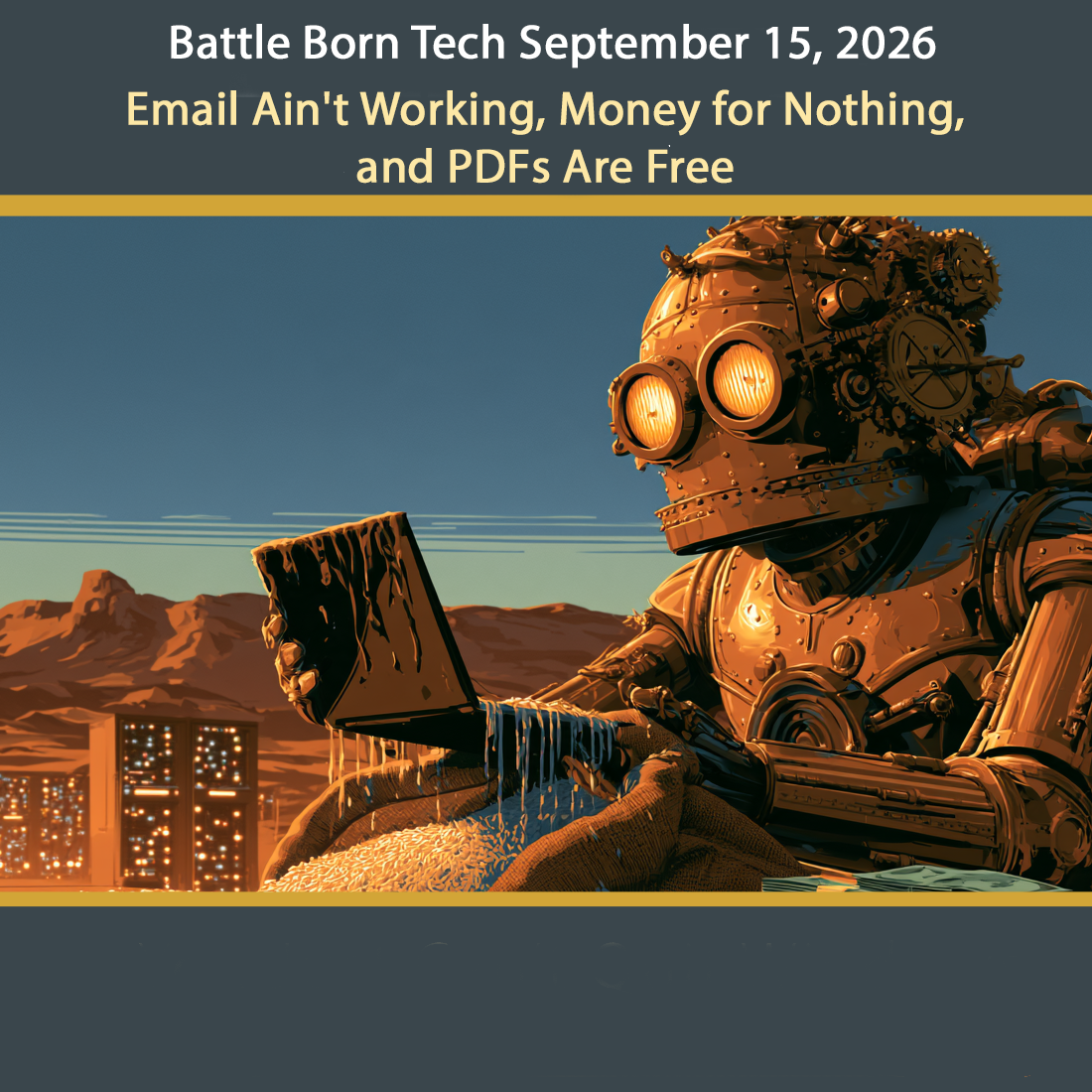
Well, you know, there's three Ways. There's a monthly subscription that people pay for Chatbot, for access to AI.
People pay anywhere from it could be 20, could be $200, hundreds of dollars.
So they're hoping for that money. Businesses and individuals pay. They also, they got so much computing power, they rent it out. So they rent it out to people. That's called the cloud and that's the same players, Amazon, Microsoft, Google and other people. Now. You're right, spending is way far ahead. Incoming.
The biggest AI companies are losing billions of dollars a year. Do you remember where you got that 500 billion dollar figure?
Maybe it was from AI.
Well, it's probably from Stargate. There's a joint venture announced in January by OpenAI Orticle South Bank MGX. And they want to put 500 billion, there's that number in AI infrastructure over four years. Okay, so that's just, I don't know, a plan. They announced all that, but they're really burning through the money much faster than the revenues coming in. That's. They're betting that AI becomes as ordinary as the Internet, that we use it as much as we use the Internet now. And it's like a boom. If they're right, it's, they're getting in on the boom. If they're wrong, we're going to be very expensive very quickly. So no one knows.
Now electricity now data centers pay their own power bills. The harder question is who pays for building the power plants and the power lines that make that power that they buy.
That's being argued right now. In fact, puc, the Public Utilities Commission of Nevada is arguing that. And here's the action thing. Lee, you ready?
[00:05:01] Speaker D: Right.
[00:05:02] Speaker C: Nevada Attorney, Bureau of Consumer Protection. They usually have a hearing, but they have a survey right now.
So you can actually do a survey. It's, I mean you're gonna, it's a, it's a little much. There's 44 questions, but it's multiple choice with every other one is like, you know, any comments about this question.
So you can get that with bbtl.inkbtl.ink data center power.
And I'm typing that in to make sure it works. Yeah, and that's an article from Reno, inside Reno about the survey. And there's a link to the survey in both English and Spanish.
44 questions. You just say what you got.
It's like a rank.
Yeah. You're not going to ask me the questions over the phone, are you? No, I don't think so. No, it's just, it's a survey and you just click on 1 to 10 what you, what you agree with, and then you have a comment about that rating and then send it all. So that's a consumer survey. That's the way we get our input in.
Well, it's bbt.bbtl.bbtl.ink, supposed to be BBT link, but with a dot between the L and the I and K. Okay. Slash.
[00:06:30] Speaker D: Okay.
[00:06:30] Speaker C: Slash. Data center power. Okay.
It's all just three words. Okay. All together. I'll try it. Yeah, yeah, you can, you can get your voice here in that and get consumers in. That's from the attorney Generals. I think they go through at least through the end of next month and definitely do that because I want to, I want to ponder those questions because. Yeah, it's important. Yeah, get it, get it off as soon as you can. Looks like they're going to be taking comments maybe till the end of the year. But don't put it off. Go ahead and do that today and let them know what you think of. And thanks for thinking about us there, Lee.
Well, thank you, Christy. I always get a good answer from you. All right, thanks, Lee. Have a good night. All right, bye. Bye. Bye, bye. Well, that's a lot of, lot of
[00:07:19] Speaker B: thoughts there about where does the money go? And remember, if you're not paying for a product, you may be the product. And AI has been called by some as the greatest theft of labor in human history. So we'll be watching this on battleborn Tech, and I hope you watch it, too and figure out where's the money come from and where's it going.
[00:07:38] Speaker A: Yeah, no kidding. As I read once, AI is, like he said, greatest theft of labor.
And also it's a way for the wealthy to access skill while it denies the skilled access to wealth. So kind of a simplistic phrase, but when you think about it, it's kind of true.
So anything else on the Hair on fire?
Just be aware that there are so many new dangerous things coming out thanks to the acceleration of hacking by AI. Just be really aware of the links you click on. Be really aware of QR codes. Just don't click on random QR codes. Make sure they're not a thieving QR code laid over a legitimate one, like a restaurant menu or a parking lot meter.
[00:08:33] Speaker B: There's been cases of that in California.
[00:08:35] Speaker A: Yep. So double check everything.
Speaking of double checking everything, we've got Brian here and he's got a wet laptop.
[00:08:46] Speaker C: Better Born Tech. Go ahead, caller.
Hey, Christy, this is Brian calling. How are you today? Good. I'M doing good.
[00:08:53] Speaker D: What's up?
[00:08:54] Speaker C: I've got a friend's laptop that I'm looking at who spilled water on his. On his laptop? Right on the keyboard.
Yeah. Was the most likely place. And was the laptop on?
It was indeed on.
One thing that's not working is his WI fi now for sure. Oh, and he's turned it on since. Oh, it goes bad to worse.
[00:09:18] Speaker D: Okay.
[00:09:21] Speaker C: Alrighty. Yeah, well, those two things, if you spill on it, don't have it on, and if you spill on it, don't turn it on. So those two things were. The ship has sailed, as we say on those.
Okay, so has he tried anything else besides turning it on and seeing a WI FI hookup? That's pretty much it. Then he called me, so I'm not quite sure what he did. Well, I guess the good news is the data is probably okay, whether it's a hard drive or spinning drive or M2, the newer M2, the day is probably okay. But that's probably all you can for sure. Say you could. You can. You can try. 48 hours is the minimum.
You set it up as, like in a tent configuration, you know what I mean? With the hinge up at the top, hoping it'll drain out.
Sure. But the problem is, you know, you. And even if you get all the water out and dry and never turn it on, the problem is that when the water dries, unless you had the foresight to spill distilled water on it, when it dries, it leaves behind materials corrosion. And that's when corrosion starts with all the stuff. So it looks like it's flashed on the WI FI connection or somewhere. One of the chips. Usually it's a WI FI card.
So it's pretty much a shop repair, if almost always. And what that is, take it apart and after it's thoroughly dried and isoflow alcohol and scrubbing the thing and maybe even some high magnification to make sure you get all the nasties out. It's. It's not an easy or a assured fix on that.
Another problem is that's the corrosion part. The other part is that water conducts electricity. So when it hit it and it was on who knows what circuits were created and interrupted and shorted and things went boom.
So that's not good.
Can I put in rice? I've heard that's.
[00:11:36] Speaker D: Well, yeah.
[00:11:37] Speaker C: Apple specifically says do not do rice. It specifically says that there was one study that went through and figured out.
The various ways that people saying uncooked rice, grilled rice, cooked rice, they even Tried couscous. Couscous and all that.
And the silicon gel packages. Now if you get one, it's probably all used up. You have to bake it and make sure you don't burn it to dry it out again.
And some are made for reuse. The kind you get those little, you know, those little envelopes that you fall out.
Yeah.
Sometimes you use that.
Most likely it's.
It's leaving it alone for a long time. Not anything you have in it. Because of all the things they tested, the.
The quickest way to dry it out, the best way. And they was air. Just out in the air.
Oh, wow. Just rice.
Yeah, Just right.
So, yeah, that was with Gazelle. Who does used to have a re. I think they still do. They still buy repair and old electronics and do that.
Okay. It might get out the last few drops, but that's after you've already drained and shaken out everything for that. So the numbers were silicone gel at 6 point L, 6.1 ML. Got it.
Instant rice was a 5.
Uncooked white rice 4. The more is better. Sucking out more is better.
The sponge just sitting out in open air lost 7.6. So beat them all.
Wow.
A plain room air with normal circulation beat every drawing agent in the test. But still, that's not your whole problem. The problem is corrosion and the shortage. The short that may have been done in the initial part that does that. So.
So you probably want to probably. If it's bitlocker, you probably want to try to unlock it. If you get it running at all.
And then look for. Look for. You're probably going to be looking for another one. And, you know, and I got to say, the Gazelle test, that's a vendor of stuff. It's not a peer review scientific study published, you know, and all that, but sure. Sure it is. Yeah. So pretty much sum up sadness.
So we're looking at it. He's looking at a new computer at this point.
[00:14:21] Speaker D: Yeah.
[00:14:22] Speaker C: Why? You know, he just, you know, makes do. Unless it gets very lucky.
[00:14:26] Speaker D: Yeah.
[00:14:26] Speaker C: Or you can use it until it dies. The thing of it is, corrosion doesn't stop. It just keeps corroding.
So, you know, until it gets it clean, you know, it could last a week, a month, and then just get worse and worse and more and more things start going off, some more of the keys quit working and it's a slow, slow death. So if it boots up now, it kind of needs to be in hospice.
Right away, huh? Yeah. Somebody, you know a very, very ambitious and you know Person or tech can't get in there, isopo alcohol and just go to town scrubbing that board. In fact, there are some repair shops will take the entire motherboard out, put it in a bath. An actual bath. Oh, to clean it and to get. Get the corrosion off a bath. With alcohol. Right. Yeah, yeah. I don't know what exactly solution is, but yeah, it's something like alcohol or next door to alcohol. And I mean, if you got a $5,000 gaming laptop, well, sure, you're going to do that?
You know, this is probably not that.
Probably, probably not going to do it. Yeah. So sorry, I don't have any magic rice to throw your way.
All right, well, thank you, Christy. All right, thanks for calling battleborn Tech. You have a great day. Bye. All right, Bye. Bye.
[00:15:54] Speaker B: Well, almost always when you're dealing with a laptop that's got a liquid spill, you're entering the hospice wing, not the rehab wing. So be considerate of that. Get your data off there.
If you can get it up, definitely take the bitlocker off. Decrypted it. If you use that time you got left to decrypt that hard drive so you can get that data, you can try putting it up like a tent and try to dry it out. Nothing. There's no magic in it except time and drying. And even if you did, you still got crud there that's going to trip you up later. It's no longer a reliable laptop. So unless you're going to send it out to someone that takes it all apart, cleans up all the corrosion, and puts it all back together, you probably should be thinking about hospice, not rehab.
[00:16:38] Speaker A: Oh, man. And those services get really expensive. Especially if you got a higher end laptop that uses, like, liquid metal thermal paste.
[00:16:49] Speaker B: That's its own problem in its own right.
[00:16:51] Speaker A: Yeah, yeah, it just gets really expensive. But if you've got proprietary, priceless data.
Yeah, you're going to have to spend the money to do that.
[00:17:02] Speaker B: Some of the things, if you have storage embedded on the motherboard, you got to get that computer work or you'll never get it decrypted.
[00:17:10] Speaker A: Yeah, that's a good point. Because they have embedded SSD cards. Oh, boy.
[00:17:15] Speaker B: Yeah, yeah. So priority is decrypt, get the data off and decrypt it.
I don't know which one's a priority, but if you get the data off, do that first.
[00:17:26] Speaker A: We've got our final phone call of the day. This is Katherine. And Katherine wants to know why her email site sometimes remembers her and sometimes treats her like a Stranger.
[00:17:36] Speaker C: Battleborn Tech. Go ahead, caller.
[00:17:39] Speaker D: Hello, Christy, this is Katherine.
[00:17:42] Speaker C: Hey, Catherine, welcome to the show. What's up?
[00:17:45] Speaker D: I have a question for you.
Why sometimes I can't get into my email because they want to know if I'm a robot or not.
[00:17:59] Speaker C: So you've got. I imagine this is a Windows machine, right?
You're using Windows.
[00:18:06] Speaker D: Yes.
[00:18:07] Speaker C: Okay. So you click on it and you're looking at a web page, Gmail on your browser with the web phrase. Like, how do you get your email? What do you do to see your email?
[00:18:19] Speaker D: Well, I turn my.
Turn my computer on and I go to an icon that says email, and I click on that.
And instead of emails coming up, I get this.
Who are you? Are you a robot or something?
Before it can get in, it's Google.
[00:18:45] Speaker C: Let's do it. What does it want to do? Does it want you to check, figure out which ones are motorcycles or something like that? Or do they want a password or what do they want?
[00:18:59] Speaker D: Well, I guess they want.
I don't know what they want. I guess they want a password.
[00:19:05] Speaker C: Okay. But, you know, previously you've clicked on that and you've seen email just comes right up, right?
[00:19:11] Speaker D: Yes. Oh, okay.
[00:19:13] Speaker C: Okay. Because you had the shortcut there. All right. And so sometimes after. So you see email for a while, and then after a couple days or weeks or something, you click on it just like you always do, and you get that challenge, if you will. Right. Is that what's going on?
[00:19:33] Speaker D: Okay.
[00:19:34] Speaker C: All right. Well, it.
Do you know what kind of browser you use? And what, what does it look like what you're clicking on? Is it like a target circle? Does it look like a swirling blue wave? Is it.
What else?
[00:19:52] Speaker D: That was the wrong question. You don't know.
[00:19:55] Speaker C: Well, what's the most. Most of the desktop? If you got we pages on your desktop, does it look like a lion?
Does it look like a fox?
Does it look.
[00:20:05] Speaker D: No, it.
I don't know what you mean. It just comes up.
Okay.
[00:20:11] Speaker C: The little tiny picture on the desktop, there's. There's a bunch of little tiny pictures. We call them icons.
[00:20:17] Speaker D: Oh.
[00:20:18] Speaker C: Any graphics?
Yeah, sometimes. Sometimes it comes with. In an Explorer, which is like a blue wave that curls back on itself. And chrome looks like a target with red, green, and yellow. Firefox looks like a swirling fox with a tail.
None of this is helping.
[00:20:41] Speaker D: No, no. You're going to have to help me with that. Okay.
[00:20:45] Speaker C: All right. Well, what I'm thinking, no matter which one you got, what happened, I think, is that you got some kind of privacy going on.
And what privacy does is saying, don't track me, you know, don't remember who I am.
And so those are settings and browsers. Brave is a famous browser and it's called turning off fingerprinting. It used to be a thing called cookies. That's old, old, old news. Used to have cookies to figure out who you were. They still use them, but now they use what's called a fingerprint, which takes in account of what kind of browser you have, how much memory you got in your computer, what kind of graphics card you have, what's your processor, all these things, they put them all together and they make a special fingerprint saying, I know who this is. This is Kathryn. This is her computer because it has all these things.
So that fingerprint allows people to track you no matter what you do.
They say, hey, oh look, here's a fingerprint. I know this fingerprint from this other place.
So some people just say, okay, just delete the fingerprint, you know, don't save it and don't fingerprint me. Mean old browser. Don't tell anybody who I am.
Well, that's fine, but that also doesn't tell Gmail who you are.
So what happens? You're so private that Gmail, when you open up Gmail and the browser has cycled your identity, your fingerprint, to change it so you'd be private. It works. You are private. You're so private, Gmail doesn't know who you are.
So Gmail wants you to sign in again.
It's like you put on a different kind of mask, like for Halloween. And Gmail says, I don't know who you are.
And so you say, oh, this is me. And then Gmail's happy for a while and then you put on another mask and Gmail says, whoa, now who's that? And it's kind of like peekaboo with a computer.
So what you want to do, you can sign in every time that's possible if you want to do that. But you probably want to get someone to turn off the protection, the fingerprint and say, yeah, I don't really care that much to I'd rather have my email work than have my web browsing not tracked.
I don't suppose you're out on the web a lot, or maybe you are. Do you go on a lot of websites and.
[00:23:34] Speaker D: No.
No.
[00:23:36] Speaker C: Well, you probably, probably either want to switch browsers, you can even go to Internet Explorer, or if you're using one of the more privacy centric browser like Brave, you, you need to turn that off. You can turn it off just for Gmail. That probably the best of both worlds say, you know, nobody else is allowed to fingerprint me except my Google Gmail, which is one of the big ones. But you could do that.
But that way, then every time you came up, that fingerprint will be there and say, hi, I'm Katherine. He goes, oh, I recognize you. Go on in.
So it's kind of, it's kind of like, kind of like a false ID that Brave keeps giving you every few months. And Google says, wait a minute, who is this?
So you got, you got any close to getting to that? The upshot is it's nothing you did. It's the browser trying to protect your privacy so well, it protects your privacy so well, Gmail doesn't know who you are.
[00:24:34] Speaker D: Oh, my goodness.
[00:24:36] Speaker C: Yeah, yeah.
You know, there's some, there's some benefit for automatically being recognized. You know, it's like going in, going into your favorite diner and they, they start frying up your favorite meal because they know that you're going to order that kind of thing. You don't have to order it, but. So turn off the privacy protectors or go to a not so persickety browser like Internet Explorer and you won't have to be signing in your password all the time. Okay.
[00:25:04] Speaker D: Oh, okay. Well, thank you, Christy.
[00:25:09] Speaker C: All right, have fun. Email. And our email is questions. Battleborn Tech. If you want to email us, that'd be great.
[00:25:19] Speaker D: Thanks.
Goodbye.
[00:25:21] Speaker C: All right. Bye. Bye.
[00:25:24] Speaker B: Well, you can be absolutely private and absolutely secure and nothing works.
That is the balancing act we're all in right now. And as Kathryn found out that her desire to not be tracked, to keep her privacy worked. And so Gmail wasn't allowed to track her. And every time she came back after a while and the tracker said, hey, I'm going to erase everything and start over. So you don't know I came back.
Gmail says, I've never seen you before. You're going to have to log in.
So you have to be attention that when you do some security, when you do some privacy, some things might break.
[00:26:08] Speaker A: Sad and very true.
Yeah, I've gone through that enough times to identify with Katherine. I really do.
Christy, we've come to the end of the show, sorry to say, but we need some words of wisdom going out.
[00:26:24] Speaker B: This has been battleborn Tech, thanks to our callers Lee, Brian and Kathryn, who called us at 775-241-3571. We're in studio Saturdays from 9 to 11 and Sundays from 7 to 9 Pacific. Call 775-241-3571 then or anytime and set up a timed for your call.
Wondering about that incantation to banish AI from Google? It is ampersand udm14 at the end of any search you type in. Check it out at the website udm14.org our theme music is by Breakmaster Cylinder that's break like a monitor with ballpoint pen marks. Our engineer is Joe Bly who takes a jumble of audio threads and weaves a radio show. Our thanks to Anthony, our ex post facto checker who listens carefully so you don't have to notice. We use Claude AI because Anthony sometimes has more important things to do.
Support locally produced ad free shows by donating to KMVC.org by clicking on the big red donate button at the top right corner and give battleborn Tech a shout out in the comments. Tell them that Tech Talk is your favorite music. Our email is questionsattleborntech. That's questions with an S and T E C H at the end. Our latest links
[email protected] stats that's BBT link with a dot between the L and the ink. Get the links you missed there. Everything we should have said the first time is at battleborn Tech along with show notes, links, corrections, explanations, definitions, quotes, announcements and apologies for our offhand remarks that could confuse and discourage folks. That's battleborn Tech. This has been battleborn Tech, a registered service marker of Christy Ramsey. Carefully review this episode or speed. Listen to the ones you missed at the show's website, battleborn Tech or your favorite podcast player. Just search for Battle.
That's all for battleborn Tech where the WI fi is strong, the fonts are good looking and the passwords are above average. For those of you listening to our radio broadcast, go from finger typing to foot tapping. Stay tuned for High Desert Music with Molly Moser, original songs, local artists and the stories behind them. It starts right now. Have a neat week and tune in Tuesdays at 8pm Pacific right here on K N V C FM 95.1.