[00:00:06] Speaker A: Are you in a constant fight with your technology?
And does it seem like the technology is winning?
Well, you've come to the right place.
It's time for Battle Born Tech with your host, Christy.
[00:00:28] Speaker B: Even though you're still reading about the 1001169 vulnerabilities fixed last week in the Windows Update, expose yourself to Battleborn Tech now. And every Tuesday at 8pm Pacific Broadcasting in Carson City, Nevada on 95.1 FM, streaming everywhere on knvc.org available anytime on your favorite podcast app. Wondering how to pick between XTS, AES or AES CBC? For your BitLocker, call Battleborn Tech, 775-241-3571. We'll tell you all about the elephant diffuser in the room.
775-241-3571. Opinions on Battleborn Jack, are those of the host and callers this week. We welcome Stephen, Pat and Craig. The opinions expressed on this show did not necessarily reflect those of KNVC or Computer Core, who right now are fact checking Windows calculator with their slide rules
[00:01:38] Speaker A: and then checking the slide rules with the abacus.
[00:01:42] Speaker B: Hey Joe, Last week we had a couple calls I want to point out. Benny was asking about Google Map alternatives and we recommended, or I did, organic map, I should say.
It is free, but ads support it and there's been a little bit of pushback and even a fork because of that. If you want to get rid of the ads, there is a subscription fee or you can check out comaps, a nonprofit. That might be a better choice for a lot of people.
[00:02:10] Speaker A: We don't really have much news today because we got lots of phone calls.
But just keep in mind, vulnerabilities like Christy alluded to in the opening, there are so many vulnerabilities coming out now because AI agents are scouring code looking for them.
[00:02:29] Speaker B: But Joe, they're getting fixed. They're getting fixed, Joe. That's the good news.
[00:02:34] Speaker A: True, true. But remember, it's not a zero day, it's a zero minute anymore. So keep your system updated. Here's our first call from Steven. He's asking how to install BitLocker, which is a reversal of what we usually get, how to remove it.
[00:02:50] Speaker C: Battleborn Tech. Go ahead, caller.
[00:02:54] Speaker D: Hey, this is Stephen. I've got a question for you. A little bit of a dilemma or a brand new computer and I'm using it for work so I have to encrypt the drives.
So BitLocker comes with Windows 11 Pro.
[00:03:17] Speaker C: Yep, both. You can equip with home as well. It's just prettier and fancier.
Control panel with Pro, but yeah. Okay. And you got Windows Pro, Right.
[00:03:30] Speaker D: So I went to activate the BitLocker, which I've done on other computers, and I got a funky error stating boot configuration beta BCD doesn't match drive requested.
[00:03:48] Speaker C: Well, congrats on getting a very complete error statement there.
[00:03:52] Speaker D: So
[00:03:55] Speaker C: you got this from. I don't want to specify the actual store, but you got this online. A big box store. Secondhand.
[00:04:04] Speaker B: I don't know.
[00:04:05] Speaker C: You said it was new, so.
[00:04:07] Speaker D: Yeah, brand new. Big box store.
[00:04:09] Speaker C: Okay.
[00:04:10] Speaker D: Locally.
[00:04:11] Speaker C: Okay. Well, I'm guessing what it's saying. There's a set of instructions that tells your computer how to boot and actually where everything is.
So wind it. I'm assuming you're running BitLocker, so everything else is running the Windows comes up no problem, right?
Yes, correct. Okay. Okay.
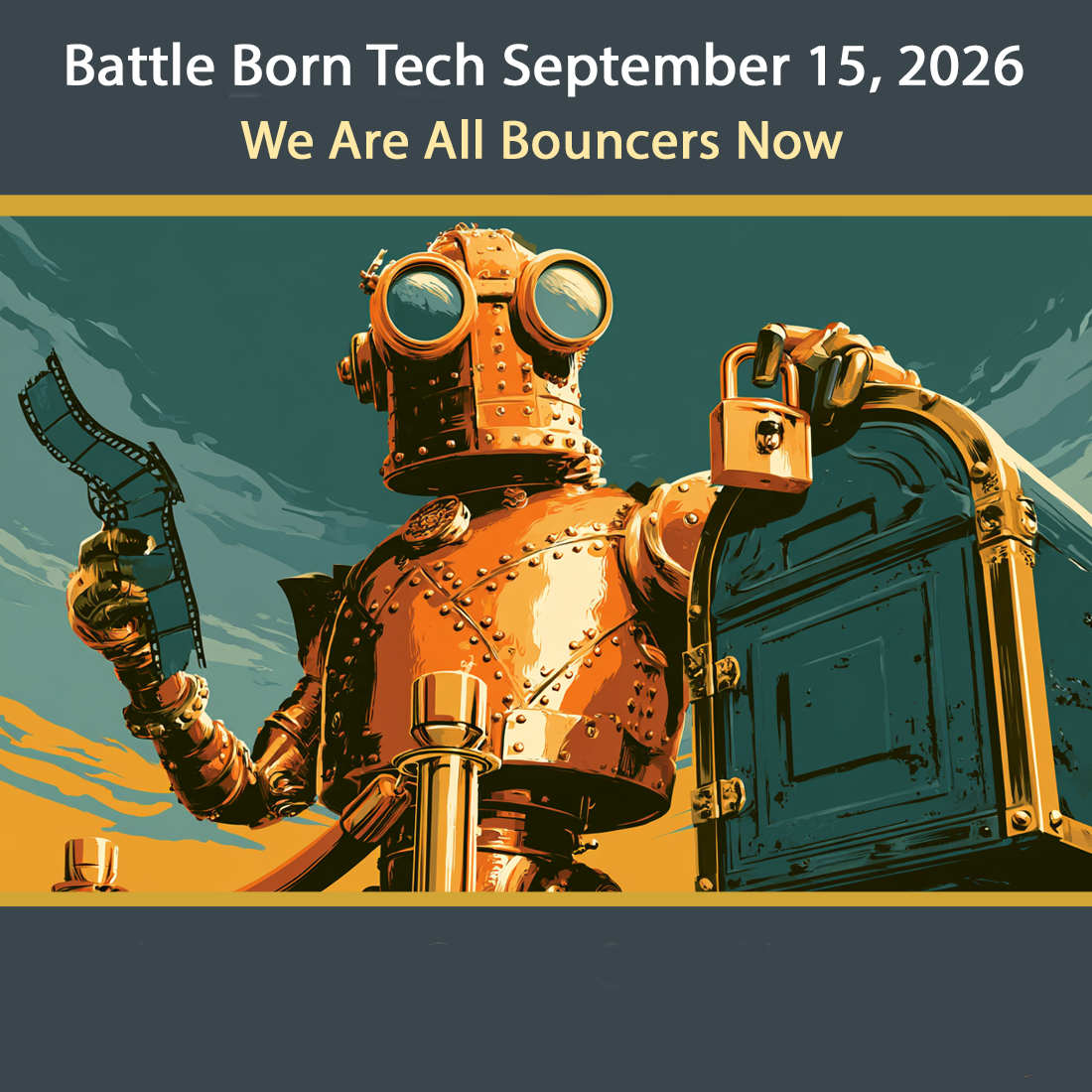
So what's going on is that those instructions are good enough for Windows, but not good enough for BitLocker. BitLocker is kind of like the bouncer outside the door. When somebody who comes in and says hey, I'd like to start up, I'd like to get in here and do some things with the computer. The BitLocker is the bouncer that checks. Let me see your ID. I want to check. And checks it. Window says sure, come on in for the most part. So bitlocker has stricter things and what's happening is that there is one way to boot up and it's called locate and it just says, hey Windows, just go and find wherever these are and boot them up.
That's one way of doing it. And a mass produced computer, they might do that so that they can have different configurations, different hard drive sizes, different partitions and Windows will still sort it all out, but boot and come up and boot. Bitlocker doesn't like that.
So what does the fix is to get in. It's like five, five commands to edit the boot. Commands to say what is act what is there and tell it specifically.
Yeah, we already found these. These are where things are.
It's not too often bad. You want to make sure you do a backup because if you do it wrong, then of course your computer won't boot. That's sad.
Then you could do that.
But if you have a backup you could restore it. But this is way out of normal realm. You're not a command line, boot, BCD edit kind of person, I imagine.
[00:06:20] Speaker D: No idea what that would be.
And filled back in Ms. Dos.
[00:06:25] Speaker C: Okay, well actually command line command lines is next door to it. Hey, what have you tried? Have you tried anything?
[00:06:33] Speaker D: No, I try to do the research on trying to figure out what that is and then talking to a few tech guys who have never heard of this before.
[00:06:43] Speaker E: So.
[00:06:43] Speaker C: Right.
[00:06:44] Speaker D: I figured I would ask you.
[00:06:46] Speaker C: Well okay. So yeah we won. Somebody that understands BCD edit can do it. It's not horrible awful.
So you could go that way. Another way to go is to take it back to the big box store and say hey I want one that runs BitLocker and see what they say.
Unfortunately if you get an if they just swap you out don't have the same problem with another one.
So there's. There's two tech person that knows how to do BCD edit and taking it back to the big Box store. Another one is it's kind of severe but you can't restore it from any kind of restore that you got from the vendor because that will give you the same problem. But you can wipe everything off the hard drive. We call it nuking from orbit and install Windows directly fresh from USB that you made before you nuked it from Microsoft. That will get you bit lockable thing but boy that's a lot of. That's a lot of a lot of work.
Everything has to be reset and if you have anything on there it'd be all lost.
But those are your basic options. One white download recovery a download and make a USB that will install Windows 11 that's available at Microsoft and we'll have a link at in our website and it's also to get there but you can get that at Microsoft. The other one is hire someone and tell them hey I need. I need my.
My boot my boot settings edit edited and change through so that it it runs. The problem is that it's using locate instead of actually specifying it's a long word or you can those are the three or return get a tech to do it or reinstalling Windows from the beginning is not too bad. You could do a shift restart and I think that will do it for you. You can follow the prompts from there and reinstall Windows. You don't have to do it usb you can do it over the web now and that would be the one way of doing it.
Have you ever. Have you ever reinstalled Windows?
[00:09:16] Speaker D: No. Sounds like a lot of work. So probably find a guy to come in and the computer reboots.
[00:09:27] Speaker C: Yeah yeah yeah that that is a hope and well, as long as you do the backup you're okay. I mean before changing anything you always Back up. That's a good bed of our tech light. But it's nothing you did. It's not a virus, it's not malware.
The fix it programs aren't going to work.
For pity's sake, do not get into the BIOS and reset BitLocker to Default or any of that.
You don't ever want to do that because you don't know what's depending on those information.
But so good, you did a good job by calling us up and telling us what we can tell you what not to do. It is possible to reinstall Windows.
You do a Shift and then hit restart and then go through troubleshooting and that there is an option to completely reinstall Windows and I bet you that will get you a version of Windows that will allow you to turn on BitLocker. Or you can have someone come in and and do the little magic editing. It's only about five or six lines that have to be the correct ones to get it up and running again. Okay, cool.
[00:10:38] Speaker D: Excellent. Thank you.
[00:10:40] Speaker C: All right, thanks for calling battleborn Tech.
[00:10:44] Speaker B: Well, usually we get people calling at the other end of BitLocker. They can't get it off their computer rather than trying to put it on. But if you want it on or if you're required to put it on, it's very picky about how it boots up. And sometimes reinstalling Windows is the easiest and fast choice. So that is something you may want to take a look at or heckfire. I've been known that when I bought a computer I just went ahead and reinstalled the entire Windows and got rid of all the extra added features that the vendor put on. And that's under Shift Restart. And then that gets you into troubleshooting. You hold down the Shift, click on Restart. That gives you a whole diagnostic thing. And one of them is troubleshooting and one of them is reinstall Windows. And that would, I'm pretty sure fix the problem with Stephen is having with BitLocker and lining up and you can actually download a fresh copy of Windows from the cloud. So you know it's going to be right and up to date.
[00:11:43] Speaker A: It also gets rid of everything in your registry, so you have to reinstall a lot of software as well. But you know that's a small price to pay when your operating system's broken.
[00:11:52] Speaker B: Well, only on a brand new computer.
[00:11:55] Speaker A: Alrighty, we've got another phone call here. This is Pat. Pat's looking to showcase her photos with some music and some cool effects. Let's see how we get her started.
[00:12:06] Speaker C: Battleborn Tech. Go ahead, call her.
[00:12:10] Speaker F: Hi, this is Pat and I sure hope you can help me because I'm pretty frustrated. Oh yeah. I. I have a meeting coming up and my bosses want me to take all of these pictures and then have them show in a loop on some kind of marquee.
And I have no idea what I'm doing or how to do that.
[00:12:35] Speaker C: Okay. Are you using a Windows machine? I should have guessed that. When you say frustrated I usually go right to Windows, but is that.
[00:12:41] Speaker F: Yes.
[00:12:42] Speaker C: Okay. All right.
[00:12:43] Speaker F: All right.
[00:12:45] Speaker C: Well the fan you got a lot of time. Is this like pictures that you can get ready beforehand or is it.
[00:12:52] Speaker F: No, almost. They want it tomorrow.
[00:12:59] Speaker C: And the pictures are of the meeting tomorrow? Yes, yes, of course. Why not? Yeah, why not?
[00:13:05] Speaker F: Okay.
[00:13:06] Speaker C: Well, normally you would be doing some sort of a presentation manager you can use. There's a free one LibreOffice has presentations. Of course, PowerPoint is almost generic do that. There's Canva, a couple others online, but those actually require preparation so we're going to kind of rule those out.
Now Windows 10 on if you get has actually has a slidestore on the top bar of the photos windows, you can hit the slideshow and, And F5 can work there. That's one way to do it. But I'm telling you, some ways you're not going to want you, but you're going to want the last one. Another one's IR Fan View and I'll have that up on the website or text later. But IR Fan view is a really good little graphics conversion editing program that also has a slideshow that, that's a good free option on that if you
[00:14:09] Speaker F: want to do that.
I love that it's free.
[00:14:12] Speaker C: Okay. File Explorer explorer is F5 and you, you, you open, you open one pictures and file folder and then put push F5. Some laptops is function F5 and it'll just go through the folder if all goes well. Now what I really want it but what the. What the thing of it is is that those don't loop.
So sadness. Now what does loop? Strangely enough, screensaver loops. So that's probably what you want to end up working. And that's one of the easiest to set up. So you want to go to press the Windows key there between the control and the alt and then you just type in screensaver and then down in Settings you'll see change screensaver and now they'll have a whole bunch of different screensavers there. Mystify text, flowers and all but one of them is called Photos. And what Photos does?
Yeah, you choose Photos and then Settings. Now, Photos alone won't do it, but Photos and then it gives you Settings, Settings. You pick the folder, set the speed. Medium is kind of slow, but Medium is all right.
Say save and. Okay. And you can. Or you can click Preview to start it right away.
And what that does is that will just go. And you can always stop it by hitting a key or something.
But if you set it to one minute, which is the lowest thing, even if somebody bumps it or jostle in a minute, it'll pick up and start going. Now it just does it by name order. If you. I don't know if you're doing day of, you're probably not going to be a lot of sorting.
Yeah, but you can name them, you know, like 0010020.
[00:16:03] Speaker F: Oh, right, right.
[00:16:04] Speaker C: If you want to do it that way. But there's a whole dump. There's a whole dump of stuff. You think you, you think one of those gonna work or.
[00:16:12] Speaker F: I do. I. I like the screen saver option.
[00:16:16] Speaker C: Yeah, that.
[00:16:16] Speaker F: I understood that bit.
[00:16:18] Speaker C: Yes. The other ones, the other ones are good, but they don't have a looping function into them. To do that, you have to go do something like PowerPoint or presentations in LibreOffice, something like that. Or you can also get into Media Player and that sort of things.
You could try it that way. But the simplest ones, if you got to do it, the key thing is keep all the photos in one folder because it doesn't do it. Doesn't you sublear.
Okay.
[00:16:48] Speaker F: Yeah. Yeah. Okay. Oh, thank you so much. I feel much better.
[00:16:53] Speaker C: Okay. Well, I hope you have. I hope you have a photo. Fantastic day. And one last thing off your list for all the stuff going on.
[00:17:02] Speaker F: That's right. Thank you very much.
[00:17:04] Speaker C: Thanks for calling battleborn Tech.
[00:17:07] Speaker F: Bye bye.
[00:17:08] Speaker C: Bye bye.
[00:17:10] Speaker B: Windows Explorer has a slideshow built in with sounds and.
And it already does repeating. It does fading. It's really nice. Probably will do it. Get a photo from the folder you have in the slideshow Pictures. Click on it to display the one photo in that folder. In the bottom left corner, there's a square with the triangle in. Click it to start it, and as it plays, you can move the cursor to the top of the screen, click that first icon with a musical note with some sparkles and adjust the themes and animations, transitions, music, and even looping.
It'll probably do. You just. Well, probably don't have to look for
[00:17:48] Speaker A: another program yeah, and just be real careful about putting copyrighted music up there if you're planning to upload it to a public forum like YouTube, because YouTube will pull it down immediately.
[00:17:59] Speaker B: Yeah, the great thing is that this is just for a local computer and the music comes out of Windows, not out of anything that you uploaded. So it's just generic music, maybe even AI Joe.
[00:18:11] Speaker A: Well, that reminds me, there are vulnerabilities coming out every day and scammers are still trying to scam and their shtick is getting enhanced by AI. And here we have Craig on the line and he is justifiably suspicious about an urgent request that somebody has for a company wide directory.
[00:18:35] Speaker C: Go ahead caller. Battleborn Tech on the line.
[00:18:38] Speaker E: Hey, this is Craig and I'm calling from the Las Vegas area and I have something that happened to me. I'm at a business actually I'm a pastor of a church and we had somebody who tried to get our PDF of our mailing list so called making to be me probably off our website.
[00:19:06] Speaker C: Oh really?
They got your email off the website?
[00:19:10] Speaker E: Okay, yeah, or they got my, the church number or whatever and they said to myself, they said to all the other people, we had several different emails and asked, they, they said, hey, this is one of our staff and I have lost my PDF of the whole church mailing list and could you send me.
And so, yeah, well, so interesting how it happened was that, that I went out to talk to the front desk and she's new and I said, hey, do we have a PDF of the whole mailing list? And she kind of looked at me and then another my communications person was sitting there and she said, why do you need that?
[00:20:00] Speaker C: Excellent.
[00:20:02] Speaker E: Yeah, wasn't that good? And she, she, I said, well, one of the staff and I said his name has asked me for it. And she said, oh, I think that's, that's somebody hacking us or whatever the terminology would you use.
[00:20:17] Speaker C: Yeah, yeah. Every, it's almost getting to every email you, you have to say, is that someone hacking us?
[00:20:24] Speaker E: Yes, right, exactly. I think that that's, you know, I always have to. And then I went back and looked at it and you know, it was from the staff person in their name, but then the email that was attached to it was not their email.
[00:20:36] Speaker C: Right? Yeah, they just make a free email account and tax the name of the passwords on. Hope you don't look too close at following. It's often a Gmail account. A Gmail you can report. It's a little complicated. You got to send in headers or something, but it's worthwhile to do that. And also some mailing programs allow you to report it.
Well, Gmail does report it directly, but it's good to look at.
We've got friends and Neighbors and Craig. Bbtl.ink Gmailabuse will get you that form.
Gmail abuse after bbtl.ink so where are you. So you got, did you look at the list? Did they include that mailing? Who else got mailed in that list or was it just to you?
[00:21:32] Speaker E: Well, there wasn't a list. It was just me. But then my people at the front desk, she said, oh, I got one of those. Oh, I got one of those. Oh, I got one of those. And it was to all these different people on our staff.
[00:21:44] Speaker C: Everybody on that website probably.
[00:21:46] Speaker D: Yeah.
[00:21:47] Speaker E: Yes. Right. And you know, kind of faking like they were, they were. I think it was our contemporary music guy who said, hey, this is me and I need another deal. So now.
But the hard part was that our front desk person was brand new so she didn't catch it and she sent it out. And so now we've been just telling everybody, hey, you gotta, you gotta really watch these things.
[00:22:18] Speaker C: It got to annoy. Yes. I got to an organization spot that I, I did not send out PDF or email list. I never, I didn't send them out. I was like, why do you need them? Send it to me, I'll send it out.
You know, I, I just never give it out. In fact, if you give it out legit to someone, you know, someone that legit has a real habit and then they get fished. Fishing is when someone tries to lure you something. Spear phishing is when they go right to you and it sounds like they went right to you because they took the trouble looking and, and they can be tricked to send the PDF out, you know.
[00:22:57] Speaker E: Right.
[00:22:57] Speaker C: Because you sent them one and then they got tricked and it goes out. So I got to the point where I just, I.
They would say can I have the email directory? And even if I knew them, even they're standing right in front of me go, no, we don't send those out anymore.
We just don't give them the things to move on to is like, you know, you have to use some kind of 4 pay group mailing list. There's mailer. There's a lot. We have them on the website and I'll link to it.
But also there's another way to go with is Google groups is surprisingly good for a small mailing list like a dozen people or so if you got a small group for a larger group, you know, if you're going up to 100, maybe you're. Maybe you're looking at one of the more commercial programs.
The free ones are kind of limited, though, so you can. You probably gonna have to expect to pay for those.
But, yeah, good. On the staff member that says, hey, hold on there.
[00:23:56] Speaker E: Yeah, why do you need that? And then she went, Then. Then she said, okay, so when I send stuff out, I don't send a connection with, you know, like 20 people's names on it. I have a. You know, we use a thing that's like. I don't know if it's constant comment or what like that, but, you know, you can hide everybody's name so nobody can get the mailing list off of it. But he was good.
[00:24:18] Speaker D: She.
[00:24:19] Speaker E: She caught it. And then we've also talk to our insurance company to see if we had any recourse there. So they're getting back to us.
[00:24:28] Speaker C: Yeah, it's getting so that you almost have to a quarterly email to your group saying, don't read these emails.
[00:24:35] Speaker E: And if it's me, if you think it's me, make sure that you call me and ask if it's me. Because I've been three or four times, not at this church, but at other churches where they get the staff asking for, you know, money cards. Yeah, gift cards, and we just send the thing out. We don't ever ask for that. We don't. We don't give our man list. I don't care if you're, you know, Joe's your uncle or whatever. I don't want to. Don't want to do that.
[00:25:06] Speaker C: Even if I tell you that it's a secret and I'm going into a meeting and I can't talk, still call me.
[00:25:11] Speaker E: Yes.
Yeah.
[00:25:14] Speaker C: Well, Craig, thanks for calling in. And Cadoos, Cadoos, good news for the staff member that, you know, is saying, why does the boss want that? That's good.
And good luck. Good luck on keeping those emails only to the people that are supposed to go to the email. Thanks for calling in.
[00:25:31] Speaker E: All right, thank you.
[00:25:32] Speaker C: Thanks, Craig.
[00:25:33] Speaker D: Bye bye.
[00:25:34] Speaker E: Bye, bye.
[00:25:35] Speaker B: Well, spearfishing is getting better and better with AI. In fact, the last two times I've talked to colleagues, I had asked them to prove that they were who they say they were, and one came up with something embarrassing. Apparently, I make a bigger impression on my groups than I anticipate, so better than giving into a scammer that's going to email everyone. So be very suspicious of requests that comes with text and email and confirm it with the real person that it's really them.
[00:26:08] Speaker A: And the more urgent it sounds, the more suspicious you should be. It's like why do you need a company wide directory now who are you?
[00:26:20] Speaker B: Maybe just walk over and give them a paper copy or something, I don't know. But be suspicious.
[00:26:26] Speaker A: Yeah, it's not like the so called good old days when you would get everybody's phone number in the phone book every year. Hey Christy, We've come to the end of the show. Hard to believe but we need some words of wisdom heading on out of here.
[00:26:41] Speaker B: This has been battleborn Tech. Thanks to our callers Stephen, Pat and Craig who called us at 775241, 3571. We're in studio Saturdays from 9 to 11am and Sunday 7 to 9pm Pacific 775-241-3571. Our theme music advised break master cylinder. That's break like a memory chip in a wool sweater.
Our engineer is Joe Bly who grounds the static, puts flags on our peaks and normalize the laughs with loops.
Our thanks to Anthony, our ex post thaco checker who listens in London at Big Ben because that is where the best reception is. We use cloud AI because its chain of thought can pull us back from snowballing down slippery slopes.
Support locally produced ad free shows by
[email protected] by clicking the big red donate button at the top top right corner and give battleborn Tech a shout out in the comments. Tell them Tech Talk is your favorite music.
Our email is questionsattleborntech. That's questions with an S and T e C H at the end. Our latest links are at bbtl.ink stats S T A T s.
Get the links you missed there bbtl.ink stat.
Everything we should have said the first time is at Battleborn Tech along with show notes, links, corrections, explanations, definitions, quotes, announcements and apologies of our offhanded remarks that could confuse people. That's battleborn Tech T E C H this has been battleborn Tech, a registered service mark of Christy Ramsey. Carefully review this episode or speed. Listen to the ones you missed at the show's website, battleborn Tech or your favorite podcast player. Just search for battleborn Tech. That's all for battleborn Tech where the WI fi is strong, the fonts are good looking and the passwords are above average. For those listening to our radio broadcast, we go from algorithms to analog rhythms. Stay tuned for High Desert Music with Molly Moser Original songs, local artists and the stories behind them. It starts right now. Have a neat week and tune in Tuesdays, 8pm Pacific, right here on KNBC FM 95.1.