[00:00:06] Speaker A: Are you in a constant fight with your technology?
And does it seem like the technology is winning?
Well, you've come to the right place.
It's time for Battle Born Tech with your host, Christy.
[00:00:28] Speaker B: Even though Pumpkin Spice is back, this
[00:00:32] Speaker C: hot cup of tech spice has your name on it now. And every Tuesday at 8pm Pacific Broadcasting in Carson City, Nevada on 95.1 FM, streaming everywhere on knbc.org and available anytime on your favorite podcast app, just search
[00:00:50] Speaker B: for Battle Born Tech.
[00:00:53] Speaker C: Wondering if you should click on that sketchy evite in your email from someone
[00:00:58] Speaker B: you hardly ever Talked to?
[00:01:01] Speaker C: Call Battleborn Tech 775241, 3571 where all
[00:01:07] Speaker B: are invited to talk, not to click.
775241, 3571.
[00:01:14] Speaker C: Opinions on Battleborn Tech are those of
[00:01:17] Speaker B: the host and callers this week. We welcome Dave and Joan. The opinions expressed on this show do not necessarily reflect those of KNVC or Computer Corps who who are crashing and burning Microsoft Copilot like they are John McClane in Die Hard 2. And it's Christmas every day.
Hey, hey, Joe.
[00:01:40] Speaker C: What's the time limit on the spoiler alert?
[00:01:43] Speaker B: That film's from 1990.
Maybe I should worry if anybody remembers a movie.
[00:01:50] Speaker A: Well, you just gotta remember always. Just like the Alamo. Remember the Nakatomi Plaza disaster?
[00:01:58] Speaker D: There you go.
[00:01:58] Speaker B: Absolutely.
[00:01:59] Speaker A: Yeah.
[00:01:59] Speaker C: Look that up, all you kids.
[00:02:01] Speaker B: Hey, before we go too far, last week we were joking about Cisco still being around. As Anthony points out, and you know he did.
Cisco is the biggest player in networking equipment market.
So yes, I was joking, Anthony and others.
[00:02:20] Speaker C: Don't worry, Cisco's go out there.
[00:02:21] Speaker A: Yeah, and you still need a Cisco certification to even work on those devices.
Yeah, complex.
So we do have three phone calls. Oh, hey, look at this. We only have two phone calls today because both of them are kind of on the long side. So we're going to have lots of discussion. But I think what's worth discussing right now is thanks to the existence of AI just burning through code at a rate that was unthinkable 10 years ago.
Zero days are now zero minutes.
Please update your Chrome browser as soon as possible, then restart the browser. And it'd be a good idea to restart the computer by holding down the shift key and then press shutdown and then restart the computer. And that flushes everything out.
[00:03:17] Speaker C: You want to click shut down. Don't be pressing those buttons. Click on the shutdown option, but while you're clicking, holding down the shift key so it's a shift click and that will shut. Absolutely. Shut Your computer, not just put it to sleep. Joe, that's a good tip. If you have one of those browser takeovers that are yelling at you, you have to call a number.
[00:03:35] Speaker B: Another thing you should be updating is Zoom.
[00:03:38] Speaker C: Zoom's got a big hole in it. You want to update that. If you got the. If you're on Zoom, you got little icon in the bottom right. Click on that. There should be an option to get update. Otherwise you can go to99.com that's n I n I t e.com and update Zoom and others. Now they say that it will install it, but good news, not only will they install it, but if you have it, it will go ahead and update it all silently. Great feature. Of course, friends and neighbors. You can always go with the wind upgrade option and do all and include unknown with the two hyphens before it. Check our website for the exact syntax.
[00:04:16] Speaker A: Here's our first phone call of the day. This is Dave. Dave's got himself a burner phone for international travel, but no one wants to talk to him. What do we do?
[00:04:26] Speaker D: Go ahead, caller.
[00:04:28] Speaker E: Hello, this is Dave.
[00:04:30] Speaker D: Hey, Dave.
[00:04:31] Speaker E: I'm calling to share an experience that I had while traveling overseas.
[00:04:37] Speaker D: Now, this is a family show, Dave. I mean, this is a tech experience, right?
[00:04:41] Speaker E: I mean, yes. Oh, good, good, good.
[00:04:45] Speaker D: You never know. I'm traveling overseas and I had experience. Whoa.
[00:04:47] Speaker F: Now.
[00:04:48] Speaker E: Yes.
[00:04:49] Speaker D: Okay, great, great.
[00:04:51] Speaker E: Yeah, let's understand the guard, understand the guardrails here. So in my work life, I've had plenty of opportunities to travel in many, many countries. But coming up was, was a trip to Vietnam for my son's wedding, and I had never traveled to a communist country before.
And so I, I had two concerns about my mobile phone. And my solution was to get a separate brand new burner phone that had absolutely nothing on it. No apps, no nothing on it.
And it would be a fresh, clean device.
I had, I had two concerns. One was surveillance in country that they would find something on my existing phone that would cause concern, would be interpreted as offensive to the.
[00:05:50] Speaker D: Well, sure.
[00:05:51] Speaker E: To the government.
[00:05:52] Speaker D: And unfortunately, that's not just communist countries anymore. But continue on.
[00:05:58] Speaker E: Yeah, that was actually the second concern is, well, if I'm coming back to the U.S. what are they going to find on my phone?
Yep. And so I do work for a company or an organization, a nonprofit organization that is very active in advocacy for a variety of human rights issues, and that could be an issue on both sides.
So I didn't want to use my, my existing phone and it's Got emails and all kinds of stuff on it.
[00:06:26] Speaker D: That's the choice.
[00:06:28] Speaker E: Yeah, it didn't want same.
[00:06:30] Speaker D: So anyway, how'd that go for you? Was this your first time using a burner photo overseas?
What you got any tips for our listeners about if they decide to go the. The same route?
[00:06:41] Speaker E: Yeah, a couple of things lessons learned, if you will.
The first is that in, in Vietnam at least there were two kinds of sims. There was a physical SIM device, SIM card that can be put in the phone.
[00:06:59] Speaker D: Now you're saying, you're saying SIM S I M which is. Which is the actually little ID chip that makes the phone know what kind of phone it is and its phone number and account and all that stuff. Right, right.
[00:07:13] Speaker E: It's what connects it to the local network and. Yep. And, and so there's two ways of doing it. It can be done physically or electronically.
The.
On arrival at the airport after landing, there were. The physical sims were available for sale and they were very expensive. Like I think it was like $40.
And that was clearly the preferred. What the desk was preferring that I buy. But I went with an ESIM and, and that worked just fine here. But I would say to any listeners, it's probably country and or carrier specific.
And so the phone has to be able to do both. Mine did.
And then you have to kind of figure out what's actually allowed in the country and in the carrier that's being used.
[00:08:10] Speaker D: So you bring the phone and hopefully has both the little slot for the esim, which are buried deep down, and also the electronics for an esim.
And so you get. Bring the phone but don't bring the. You're saying don't bring the carrier or the service or a SIM of your own. Right. Just wait till you get in country to get that.
[00:08:31] Speaker E: Yes. Now some, some U.S. carriers or carriers that are available in the U.S. will have international.
Will assert international coverage, but that's actually through whoever the local carriers are. Okay. Yeah. So anyway, that was one sort of learning and it actually worked out better than I expected.
But it helps to do a little research in advance to figure out what is preferred in the country.
And the service desk in the arrivals lounge at the airport is clearly push. Pushing the physical device that they'll insert and a fee, fee to be paid. You know, they're making, they're there to make money. It's very obvious. There's lots of signs. Clearly this is the path they are encouraging to go down. I chose not to do that path more out of laziness and intention and it worked. So.
[00:09:31] Speaker D: Okay, great. Well, we're running out of time here. We're only a half hour show. People beg for more. No, they don't. But.
But is there another tip you could get? You could squeeze in here in the few minutes we got left?
[00:09:46] Speaker E: Yeah, the. The. Because I had a new number, my existing family members, when I was traveling with, the people I was visiting, did not know who I was.
[00:09:56] Speaker D: You were Spit. You were Spam Likely. That's my favorite name on the. On the net. So you were Spam Likely.
[00:10:03] Speaker E: So I texted them, I had their numbers. I left their numbers on a separate little piece of paper that I could dispose of quickly if need be. But I texted them and said, okay, here's my number while. While I'm in country. And a couple of people actually used it, but the others just texted the other family members and said, tell Dave to do this.
[00:10:23] Speaker D: Oh, they just wouldn't want to bother because they didn't know the text was a scam.
[00:10:29] Speaker E: Well made. Their phones were programmed for my old number, which I wasn't carrying, so they weren't going to add a new number for me.
[00:10:36] Speaker D: Okay, I see.
[00:10:37] Speaker E: Yeah. So anyway, going incognito was a little bit too incognito, if you will. Yeah.
[00:10:43] Speaker D: You were a victim of your own success, so.
[00:10:44] Speaker E: Great.
[00:10:45] Speaker D: But no problems going in and out of country?
[00:10:48] Speaker E: No, actually, you know, yeah. The experience in Vietnam was way better than I expected.
[00:10:55] Speaker D: I. I think I can tell you with some, a little bit of pride that according to our analytics from our podcast side, Hanoi. Hanoi is our top listener.
What's going on in Vietnam? But they are.
They. They are like eight times what we get out of Carson City, so. Carson City, come on, let's.
[00:11:19] Speaker E: Well, we had a marvelous time. We had marvelous food. The people were marvelous.
The country is beautiful.
[00:11:26] Speaker D: A great taste in podcasts. Yeah.
[00:11:30] Speaker A: Who knew?
[00:11:31] Speaker E: That's right. So. So, yeah, it was. It was. It was an unfounded concern that I had, but I learned a lot in the process.
[00:11:37] Speaker D: Well, good. I'm glad you tell because I'm sure a lot of people are wondering about that. Dave, we gotta go, but. All right, Christopher, thanks for calling and talking on battleborn Tech.
[00:11:47] Speaker E: Bye now.
[00:11:48] Speaker D: Bye.
[00:11:48] Speaker F: Bye.
[00:11:50] Speaker C: Well, Sims and Esims, we'll talk about that on our website. And the difference between that.
[00:11:55] Speaker B: Joe.
[00:11:57] Speaker C: Wow. 20 years ago, when I went overseas, I went and got a phone just for going overseas on a little plan. I don't know if that's available anymore.
A little travel phone.
Here's a tip. It got stolen and luckily I had insurance on it, so that's a thought, too.
People like to take phones, especially if you're in crowded, touristy places.
That's something to maybe worry about as much as somebody looking at your phone. And Joe, he talked about foreign travel, but, you know, even if you're going in and out of airports, you might reconsider about taking your main phone. Maybe you want to have a secondary phone with no identification on them.
[00:12:40] Speaker A: Yeah, even innocuous, a social media post can get you in trouble these days. But, you know, that's between you, your phone, and your sense of safety. So we'll leave that up to you. But I'll be honest. I do take our main phone with us when we go travel overseas. But I do have an ESIM with a foreign phone number. But still, it's risky if someone lifts that phone, you know, there's your pass keys, there's your password collection, and you're stranded.
[00:13:15] Speaker D: Yeah.
[00:13:16] Speaker C: And then, you know, there's also, you know, that, you know, there's some. Some little bebop sometimes when you go through customs, either in and out of a foreign country, even in and out of the United States, that you may want to be concerned about taking your
[00:13:28] Speaker B: main phone with you.
[00:13:30] Speaker C: Yeah, Joe, there's some people says, I got nothing to hide, so I don't care if somebody looks at my phone. Oh, okay. Yeah. But, you know, the laws change, standards change. And so you may be doing everything perfectly right today, but that doesn't mean when they check your phone a year from now or six months from now, what used to be okay is now
[00:13:49] Speaker B: get you in trouble.
[00:13:50] Speaker C: Something about.
[00:13:51] Speaker A: Exactly. So one word of advice that I heard was you can turn your phone off and then turn it back on, which means you have to enter a passcode instead of using face id. Always a good piece of advice there.
We've got another phone call here.
This is Joan.
And Joan had someone lift her email from an unknown location and is now spamming other people with it. Let's see what we do for her.
[00:14:23] Speaker D: Go ahead, call her.
[00:14:25] Speaker F: Hi, this is Joan.
[00:14:27] Speaker D: Hey, Joan.
[00:14:28] Speaker F: Hey. And I have a kind of weird thing that happened to me.
I had a friend send me a note and say, hey, I think you've been hacked. I just got a really weird email from you, and I don't think it was from you. So, you know, of course I said, no, it wasn't for me.
But then everybody started contacting me, and, you know, some people were mad at me and told me that I should change my password and my Email to keep this from. I was just kind of upset by it.
[00:15:06] Speaker D: Oh, yeah, well, I'm never going to tell someone not to change your password. I mean, you can always, as long as you don't forget it and keep track of it and all that. It's nothing horrible about changing your passwords. However, this. Usually that means with this email scam, is someone registered a free email account that sort of quarter sounds like you. Your name or your email, and then hid it under your actual email, and then maybe even copied an email for you and sent it out to all your friends saying, hi. What did it say? I need money or.
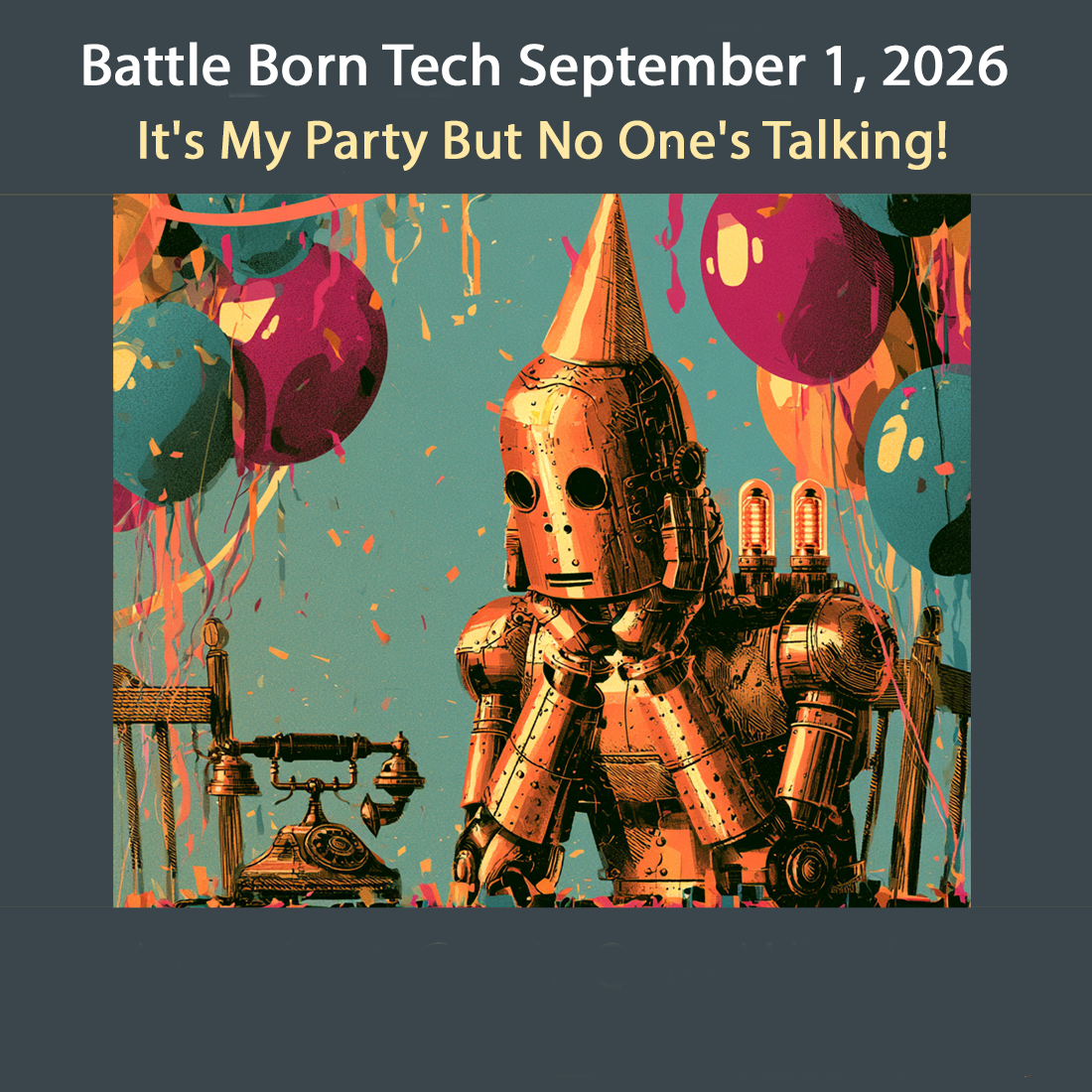
[00:15:43] Speaker F: No, it was. I was having a big party.
[00:15:46] Speaker E: Oh, you're having a big party.
[00:15:47] Speaker D: Well, isn't that nice?
And you didn't get one, so what's that about? You didn't get invited to your own party?
[00:15:55] Speaker F: Oh, my God.
[00:15:57] Speaker D: I'm having a big party. And what, click this Evite or something?
[00:16:02] Speaker F: Yes.
[00:16:02] Speaker D: All right, well. And then the ebay light comes up, and it's actually some kind of malware, some kind of Trojan that's going to take over the computer in exe. Luckily, those don't work, but. Yeah, that's embarrassing. What. What happened is that somebody, not you, got their account compromised, maybe by reusing a password, and someone tried it and got into their email account.
[00:16:27] Speaker E: They.
[00:16:27] Speaker D: And then found a letter from you copying all those people. Was it a certain group? That was my church group.
[00:16:36] Speaker F: Yeah.
[00:16:37] Speaker D: Somebody in the church group got compromised. They might even know it. Somebody harvested the email fed. Oh, look, Joan's mover and shaker, and she's got a nice little list here of other trusted friends that I could just hijack that list and send out my little malware. Now, it's not you. There's nothing you can do about it. I mean, they. Well, you can. I mean, there's a form and Gmail that you can send in. Now, you got to be a little technical. You got to learn how to. You have to Google, learn how to get the headers. I can. I can put up an article about that, but they want you to put the headers in so they can trace through the email. And they're pretty good about impersonating.
I had one guy, you know, he hired me to come fix it, and we got on Gmail, and within an hour, that account was shut down.
[00:17:32] Speaker F: Wow.
[00:17:32] Speaker D: They did not. They did not fool around that time. That's the only time I, you know, checked back. But they never acknowledged it. They never said back or anything, but. Yeah, and maybe it Was something else. Maybe there's some other violation. Just so happened that my was the end. But you can't complain through if it's Gmail and others or others saying hey, this person's impersonating me, you got to shut down this email. But you need all the headers, which you don't have. I don't have because they don't send it to you, they send it to all your friends. So you gotta lean on one of your tech friends to either do it, report it or to send you the headers, which is a separate.
[00:18:13] Speaker E: Yeah.
[00:18:15] Speaker D: Step.
[00:18:15] Speaker F: Yeah.
[00:18:16] Speaker D: And it depends on the email client. It's even more complicated how to do it.
[00:18:20] Speaker E: Yeah.
[00:18:20] Speaker D: Now. Yeah, perhaps now changing email is not going to help because I'll just.
They're already our password because they're just impersonating you and they could just continue impersonating. Usually often it's a one off. But the way you can do this in the future is the best way is if you have a group to actually use a service called something like a mass mailing service.
There's constant contact, there's mailchimp, there's others.
And what that does is that they send out one email at a time. One, one, one. Instead of five copies of the same or ten copies the same.
[00:18:59] Speaker F: Yeah.
[00:19:00] Speaker D: That stops a spam alert saying oh, this person's a spammer. Send a bunch of the same email to everybody. And it also stops it if it's compromised.
Somebody doesn't get the whole email list, they just get the one email.
Another one is sometimes they'll get into Facebook, a Facebook group and if you got it public, they can get Facebook, maybe even emails. But they can get Facebook and impersonate you on Facebook.
Same thing. They make a fake account, steal your pictures, put it up and say hey, I got a new Facebook account and friend me and all this other stuff. So.
So the thing.
[00:19:43] Speaker F: Good at it.
[00:19:44] Speaker D: Yeah, well, you know, I keep saying, you know, this is their full time job, it's quite, you know, it's pay well, it's got a good benefit package. Heck, they even got dental. So you know, we're really up against it. So the way to do that. Well, things like Facebook you can't have nice things you can't make public any friend. Right.
And on email there's something called blind Carbon Copy bcc. Have you ever seen that when you make an email?
[00:20:10] Speaker F: Yeah, but I wasn't sure. So tell me how I do that because I normally send out to about 12 people several times a month.
[00:20:19] Speaker D: Yeah, that's right. That's right. At the limit of you want to go. You know, if you have some kind of support, you may want to think about getting those 12 people on like a mailchimp or contact group and.
[00:20:31] Speaker F: Yeah.
[00:20:31] Speaker D: Or another group or something like that. But if you don't, especially if it's, hey, I'm only going to send to this group once or once every six months, it may not be worth getting the mail, getting an account somewhere at a mass mailer. So what you do use blind carbon copy, what that is, it's kind of like the other one in that it doesn't show the emails to everyone. So what you do, you send the email to yourself. One person you have to send.
So you send it to you same email.
[00:21:01] Speaker F: Yeah.
[00:21:01] Speaker D: And then you click or paste, pull down a menu and. Or push a button that says BCC Blind carbon copy. And then you put your list there of all the people.
So those will get the email but they won't see everybody else's email. Which.
[00:21:18] Speaker F: Right.
[00:21:19] Speaker D: Kind of nice because some people don't like it is spread out.
[00:21:22] Speaker E: Yeah.
[00:21:22] Speaker D: And also if the miscreant gets into some email account, they're not going to see the email list either.
[00:21:30] Speaker E: So that's perfect.
[00:21:31] Speaker F: Yeah.
[00:21:32] Speaker D: Yeah. So that's got a shut bar door shut after the horse is gone. But yeah, also if you have a, if you have a, you know, you can tell people you were hacked and stuff. But that's whole nother thing. You can decide whether you want to do that or not.
But I kind of like it sometimes because like I hear from people I haven't heard from from a long time.
Usually the list is really old. Like I haven't heard you from you in years and you called me up. I'm so glad you called.
[00:22:04] Speaker F: That's really true.
[00:22:06] Speaker D: Yeah. So what you can do if the spammer, if you got like a signature or a common phrase at the bottom, you could change it, change it to a brand new one so everybody will get used to, hey, this is Joan's old old and you have a new closing. Hopefully you'll keep that, you know, kind of close with the blind carbon copy and Right. People say there's something wrong with it. Wait a minute, this is her old, her old symbols or stuff and just put a brand new one. You can also, I mean in my emails I, when I was doing for work, I used to impersonate me all the time. I would say I will never ask you for gift cards.
I will never ask you to buy gifts. Gift cards for Me. So that was in signature. And a couple. Yeah. Spammer would just copy that signature that says, I would never ask for gift cards in the email asking for gift cards.
[00:23:06] Speaker E: So.
[00:23:07] Speaker F: Yes. Because they didn't bother to read it.
Right.
[00:23:10] Speaker D: Hey, and people, people that, that kind. That's sort of next door to our apology kind of acknowledgment, you know.
[00:23:17] Speaker F: Yeah.
[00:23:18] Speaker D: Hey, I am aware of the problem and this is one of the things I've done to take care of it. So I'm sorry.
[00:23:24] Speaker E: It happens.
[00:23:24] Speaker D: Why can't have nice things.
Yeah. So. And everybody out there, you and everybody, you know, take it. Take two or three looks when you get an email and make sure it's from the person you know and don't reply right by the email. Give them a call, give them a text and say, hey, is this really you? I mean, are you really stuck in a foreign country or.
[00:23:49] Speaker F: Yeah, and I had a lot of people, you know, do that, so I'm, I'm glad. But, you know, there were a couple people who acted like they were mad at me, so I just want to make sure I do whatever I can to keep it from happening.
[00:24:06] Speaker D: Yeah, you could.
[00:24:07] Speaker F: You could.
[00:24:07] Speaker D: If the bad ones, you can say, hey, I've changed my future and I'm not going to be sending out multiple copies of emails.
[00:24:14] Speaker F: Yeah.
[00:24:14] Speaker E: Anymore.
[00:24:15] Speaker D: You could do that and maybe that'll help. Sure. That's good.
[00:24:18] Speaker F: I. I really like that I have some options other than a paid service because, you know, you never know if. If you're going to have the money. Sacred, constant. I don't know how much any of those cost. Right.
[00:24:32] Speaker D: They got. They do have a. Most of them have a free tier which 10 or 12 twice a month will probably fit in that. You can have a free account. So check that out.
[00:24:45] Speaker F: Yeah.
[00:24:45] Speaker D: Yeah, it is. It is a little more work. I mean, you gotta. It's not right. Dashing off an email. You got to sort of compose like a little. A little newslettery kind of letter.
[00:24:56] Speaker F: Yeah.
[00:24:56] Speaker D: You can keep it simple, but it is. It is more work. But they do a free account if you want to check it.
[00:25:02] Speaker F: Yeah, I think I will. Look, thank you so much. I really appreciate this.
[00:25:07] Speaker D: All right, well, thanks for calling battleborn Tech. Hey, send me some email.
I hear you having a party.
[00:25:16] Speaker F: You can make sure I'll invite you.
[00:25:18] Speaker D: All right, that'd be good.
[00:25:20] Speaker F: Okay. Thank you. Yeah. Bye.
[00:25:21] Speaker E: Bye. Bye. Bye.
[00:25:23] Speaker C: Well, you can't stop someone from impersonating you. And friends and neighbors, don't get mad at the person that was being impersonated. They're the victim. They're not something you should call up and yell at them about. It might be nice to give them a call and chat them up and tell them things going on and hey, catch up with them. Maybe you haven't talked to them in a while, but listen to Joe now. One of the main thing to stop that is to keep your Facebook friends list private if you're doing that. And also don't use that carbon copy. Don't send out or even multiple emails
[00:25:57] Speaker B: on the two line.
[00:25:57] Speaker C: You want to use that blind carbon copy or go to paid or free service.
[00:26:03] Speaker A: Agreed. And if somebody sends you a Evite link that you haven't heard from from high school, well yeah, don't click on the link.
Hey Christy, guess what?
We've come to the end of the show. It's time for those words of wisdom going out.
[00:26:22] Speaker B: Yeah Joe. This has been battleborn Tech. Thanks to our callers Dave and Joan who called us at 775-2413, 3571. We're in studio Saturdays from 9 to 11am and Sundays from 7 to 9pm Pacific. Call 775-241-3571. Does Google Maps make you want to throw your phone in the lake? Give us a call about alternatives. Want to know what those cameras are
[00:26:52] Speaker C: flocking around your car?
[00:26:54] Speaker B: Give us a call and we'll talk about if you've been flocked. That's 775-241-3571. Our theme music is by Breakmaster Cylinder. That's break like a webpage when PHP updates. Our engineer is Joe Bly who weaves radio out of calls, commentary and corrections. Our thanks to Anthony, our ex post facto checker. The harness to our superficial intelligence.
Notice we use cloud AI because it isn't covered with ads, sponsored results and confuses us with the battery. Guys in Reno like that. Other search engine support locally produced ad free shows by
[email protected] by clicking the big red donate button at the top right corner and give battleborn Tech a shout out in the comments. Tell them Tech Talk is your favorite music.
Our email is questionsataborn Tech. That's questions with an S and T e c h at the end. Our latest links are at bbtl.ink stats S-T A T S. Get the links you missed there.
Everything we should have said the first time is at battleborn Tech along with show notes, links, corrections, explanations, definitions, quotes, announcements and where we handled an offhanded remark could confuse. We'll let you know what it means. That's battleborn Tech. This has been battleborn Tech, a registered service mark of Christy Ramsey. Carefully review this episode or speed. Listen to the ones you missed at the show's website, battleborn Tech, or your favorite podcast player. Search for battleborn Tech.
That's all for about battleborn Tech where WI fi is strong, the fonts are good looking and the passwords are above average. For those listening to our radio broadcast, we're going from flat screens to deep soul.
Stay tuned for High Desert Music with Molly Moser, original songs, local artists and stories behind them. It starts right now. Have a neat week and tune in Tuesdays at 8pm Pacific right here on K N V C FM 95.1.