[00:00:06] Speaker A: Are you in a constant fight with your technology?
And does it seem like the technology is winning?
Well, you've come to the right place.
It's time for Battle Born Tech with your host, Christy.
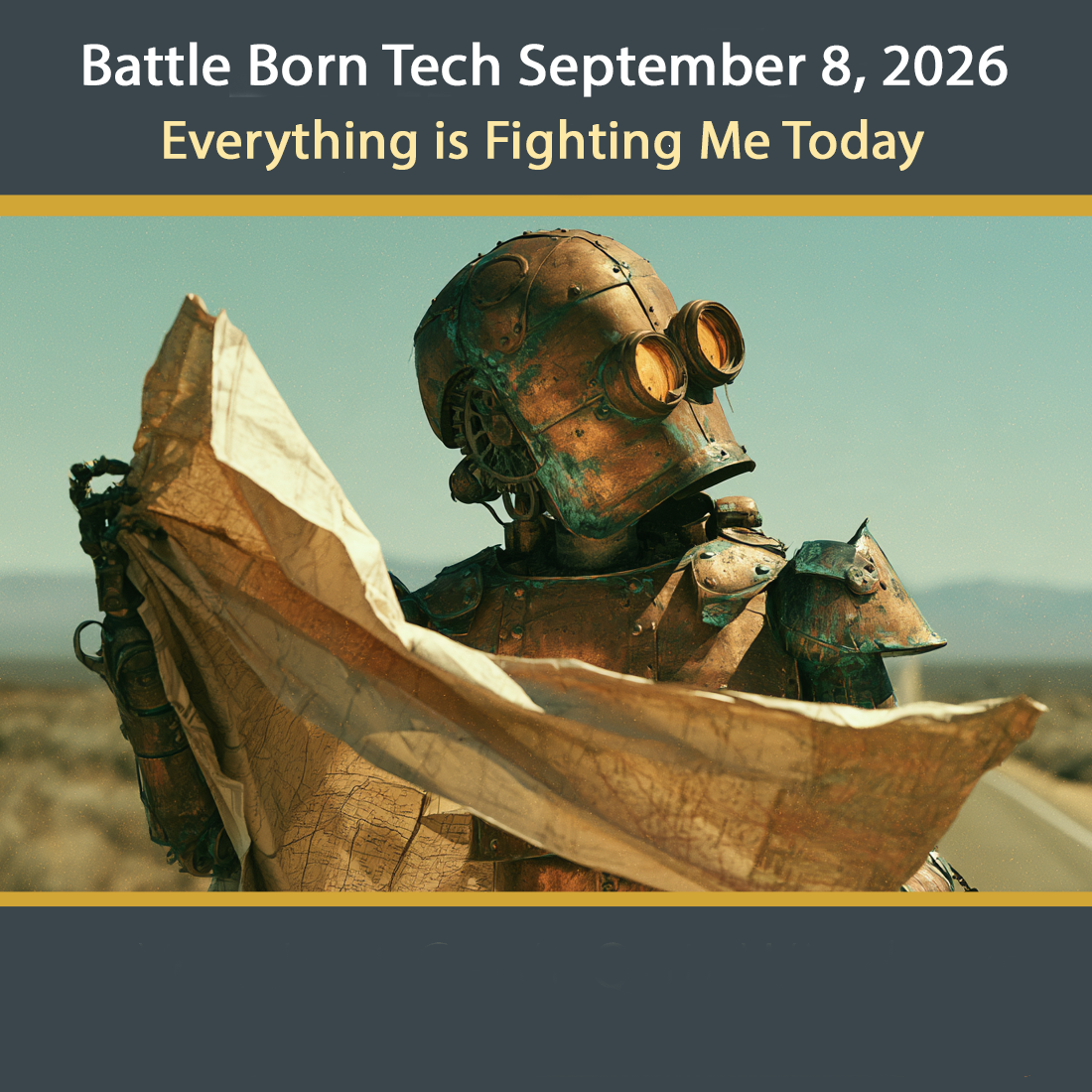
[00:00:28] Speaker B: Even though suddenly you need to remember how to fold paper, map, shut that glove box and listen to Battleborn Tech now. And every Tuesday at 8pm Pacific Broadcasting in Carson City, Nevada on 95.1 FM, streaming everywhere on knvc.org and available anytime on your favorite podcast app. Wondering what happens to cloud storage on sunny days?
Call Badaboy Tech, 775241, 3571. We'll clear things up for you. 775-241-3571. Opinions on Battleborn Tech are those of the host and callers this week. We welcome Steve, George and Betty. The opinions expressed on the show do not necessarily reflect those of KNVC or Computer Corps, who are setting Betterborn Tech as a preferred source on Google, even though they moved to Kaji and Duck Duck Goat years ago.
[00:01:31] Speaker A: Well, speaking of Google, an urgent reminder that they have once again discovered a critical flaw in Google Chrome. So click the three dots up in the upper right hand corner, go down to the help, click on the About Google Chrome and let Google Chrome update. That's kind of crucial. Then restart Google Chrome to make sure the updates take and then do that for all your browsers. And speaking of making sure that your browsers are up to date, make sure that your smart TV software is up to date as well. There's been some disconcerting news about Samsung televisions and LG televisions that actually monitor what you watch. Well, yeah. What's new? We all know that using automatic content
[00:02:26] Speaker B: recognition acr when the television watches you.
[00:02:31] Speaker A: Exactly. But the disconcerting thing is that even when the TV appears to be off, that microphone could still be active.
[00:02:39] Speaker B: And even though you disconnect it from the Internet, it'll store the audio and wait until you do get it connected and then shoot it up. Yeah. Ooh, diabolical.
[00:02:49] Speaker A: It is diabolical. And not only that, it will using what network people call an ARP request. It's a standard networking thing. But what it returns is every single device on your network, which is, like Christy said, diabolical.
I don't know what we're going to do about the televisions, but definitely upgrade Chrome. And speaking of delightful upgrades, here's our first call of the day.
This is Steve. And Steve has a problem with his television.
[00:03:26] Speaker C: Go ahead, caller.
[00:03:28] Speaker D: Yeah, how you doing? I was calling in because I have A problem with my computer with Windows 10 on it.
[00:03:35] Speaker C: Okay, well, this is the place. Who am I talking to?
[00:03:39] Speaker D: Steve.
[00:03:40] Speaker C: Hey, Steve. Steve. Windows 10. Okay, well, all right, you gotta. You got a little while till they extended it to October of 2027. But what are we doing? What can we do for you?
[00:03:50] Speaker D: What it is, is I can log in. It boots up, and I can log into Windows, and then I go to do different things, and it goes to a blue screen. And it says on the blue screen, we ran into an. A problem. We need to reboot your computer.
So it does that, and then it goes back to login, and I log in, and then. And it keeps happening over and over.
[00:04:17] Speaker C: Oh, man, that's annoying.
[00:04:18] Speaker D: Certain program. Yeah.
[00:04:20] Speaker C: So you remember what the blue screen says? Or at the little end, the error message?
It's not SRT trail or something?
[00:04:32] Speaker D: Something like that. I can't remember exactly what it was.
[00:04:35] Speaker C: Okay, but you actually can run it, and you run it for a while. What. What are you doing when it dies?
[00:04:42] Speaker D: I have this program that. It's called Dish. Dish Anywhere. And what it is, is I can watch what I have recorded on my Dish VTR anywhere, meaning I can, you know, do it on my phone when I'm someplace else.
[00:04:58] Speaker C: You're the Hopper guy. I remember you.
[00:05:00] Speaker E: Yeah.
[00:05:02] Speaker C: Hey. Okay, Steve, so it's. You get your. The website loads, I'm assuming. When does it die? When you click on show me the. The video right then.
[00:05:12] Speaker E: Or.
[00:05:13] Speaker D: Yeah, well, it'll start playing the video, and then after a few seconds, it dies.
Okay, blue screen again, the same blue.
[00:05:22] Speaker C: Okay, so that's a really. That's a really good clue, what you're doing with that. A better clue would be what does it say when you do that? The blue screen says if you ever get into this again, you know, get. Have your phone ready and click a picture of that blue screen. Because I know it doesn't stay up for a long time, but for now, we're thinking it's something with the video. Our suspicions with blue screens are memory, system files, and hard drive. So you would check the SSD or HD that you got.
Check that.
You would check the system files. Did you do any checking of the system files or.
[00:06:03] Speaker D: What I did is I. I went online and I found these commands. One is sfc.
Okay, scan now. Scan now.
[00:06:12] Speaker C: That's System File checker. Yeah. And I bet it found some corrupted files and repaired them.
[00:06:17] Speaker D: Yeah, it found some files, and then I ran this other thing called Dismiss Online.
Clean up image, Restore Health. And I ran that and then it said once you're done with that to rerun the SFC scan now. And I did. And it didn't find any problems, but it didn't fix my problem. It still was doing that with the blue screen.
[00:06:41] Speaker C: Yeah, SFC always find problems in the first run in my experience, and fixes them. But, you know, it's kind of like two take two aspirins and call me in the morning kind of saying if that fixes it, great. If not, well, you know, you know, it was just a thing. But that's good to do. So you kind of check the system files.
Memory test MEM86. You got to switch it on over the legacy boot and run that. Check the memory on that.
That's another thing do. You can either do that or do it shop. Crystaldisk info. We got a link on the webpage. We'll check your SSD storage. But because it's right at the graphics, I'm going to say did it used to work?
[00:07:24] Speaker D: Yeah, it worked fine for a long time.
Yeah.
[00:07:28] Speaker E: Okay.
[00:07:28] Speaker D: Yeah, it's always worked.
[00:07:30] Speaker C: I'm going to suggest that it's a driver issue. Either the good folks at Dish TV or the good folks at Microsoft did something that the driver isn't kept up to date. The driver can't work. One of the things in the browser under settings startup you can clear under this is under the browser settings, when you're in whatever browser you're looking at there, you want to turn off graphics acceleration.
Now that might help you. That might do it.
However, what you probably need is a driver update for your display driver.
I'm betting that's what it is. I like to use Snappy Driver Installer. You got to be careful. There's a lot of bad ones out there. Ideally you would go to the manufacturer site, Nvidia or whoever and get the updated driver and get it down to do that that way. But I really like Snappy Driver Installer.
It's kind of is sd. They call it SDI is and I have a link on the website for that that's really good for updating all the drivers and make sure you do create a restore point before you do that in case something goes wrong.
So I'm betting the drivers, most likely the most likely the graphics does it. Graphics driver update. And that gets you back and going.
[00:09:06] Speaker D: Okay, sounds good.
[00:09:08] Speaker E: All right.
[00:09:08] Speaker C: Oh, good luck and I hope you get back watching those Dish TVs over the hopper soon.
[00:09:14] Speaker D: Yeah, okay, thanks a lot.
[00:09:17] Speaker C: Thanks, Steve.
[00:09:17] Speaker D: All right, bye. Bye. All right, bye.
[00:09:20] Speaker B: Well, we're kind of still talking about TVs with the Hopper and moving things around.
One of the things you want to move around is your settings on your tv. Yes, you have to worry about that. Take a look at your settings. And LG and Samsung has been caught doing these things and others may.
[00:09:38] Speaker A: Naughty, naughty.
[00:09:39] Speaker B: You could talk, you can look at.
Turn off acr which is the TV watching you, viewing information collection, personal ads, voice recognition and other features you don't need. Now voice recognition may be convenient, but they're recording you.
[00:09:56] Speaker A: That's right. And I ran into that at the doctor the other day where I had to sign a form saying we're going to use AI and we're going to send all our recordings to to a third party large language model which is not covered by hipaa. I hope you don't mind. Yeah, very small print. Please sign here. I refuse to sign it. But that's just me. I just don't trust my information with a third party who's not bound by HIPAA.
[00:10:24] Speaker B: Yeah, Joe goes into MRIs covered with aluminum foil. I mean Joe really takes things. Hey, thinking about protection. We haven't said credit freeze in quite a long time. Let's say it freeze. Freezer credit.
[00:10:37] Speaker A: Yes.
[00:10:37] Speaker B: If you want an article and links go to bbtl.ink freeze. Great link from Investopedia explaining it and links and phone numbers to get your credit frozen. You can really do that? If you really want to go further, there are beyond the big three credit things. You can go bbtl.ink freeze 4 the digit 4 and that will give you even more information and more options of credit bureaus that are keeping all your your information and happily giving it to anybody that pays them. Maybe you don't want that. Definitely you would like to freeze it because hey, your information's out there. Anybody can go and get it.
They just have to pay for your information and then call up their local credit bureau and start charging on your good name.
[00:11:28] Speaker A: Here's another phone call. This is George and I'm not sure what George is wanting to do with all these magnets, but.
Erasure and magnets.
[00:11:38] Speaker C: Go ahead, George.
[00:11:40] Speaker E: Hi Christine, this is George.
[00:11:44] Speaker C: Hey, I called you so I know who you are.
[00:11:47] Speaker E: Hey.
[00:11:48] Speaker C: Hey George. We were talking about the new M2. You know the ones that look like a stick of gum instead of a pack of cards. I don't even know. Do we still have pack of cards and stick of guns anymore? I don't know.
[00:12:00] Speaker E: Oh sure we do.
[00:12:02] Speaker C: Yeah you do. Hey George, what's The difference in handling those two in precautions so we don't damage them or lose data on them.
[00:12:14] Speaker E: Most anything. You would be okay to handle them, except you don't want to get too much static electricity on the pins. You could hurt. You could hurt them.
The likelihood of hurting them is very small. I've handled, well, probably a couple thousand of them. A computer core there, and I haven't been able to destroy any of them yet.
[00:12:48] Speaker C: There's always tomorrow.
[00:12:50] Speaker E: Right. I do run into bad ones from time to time, but I don't think I have anything to do with it. Okay, but.
But it's just like any. Just like any memory stick or any.
Any memory.
It's an electronic circuit in there, and if you get the wrong voltage on the wrong pin, you can destroy it. So it wouldn't hurt.
It wouldn't hurt to do.
Protect them from static.
Okay.
[00:13:21] Speaker C: Especially, you know, be. Don't be grabbing them by the pins or the tabs there at the end. Right.
[00:13:26] Speaker E: And Right, right. Yeah, yeah. Just take them up by the sides. Okay. All right.
[00:13:32] Speaker C: Hey, what about magnets? I mean, we've been towing for decades. They keep them away from magnets. What about. What about magnets in these guys?
[00:13:41] Speaker E: I do not think they would have any effect on them because all they are is a bunch of little transistors on there. Transistors and resistors and things.
There is no.
There's no magnetic material like there is in a tape or a disc.
[00:13:59] Speaker C: Is that like. Is that so that'd be true of the. The square ones, the old s, the older SSDs that are kind of.
[00:14:07] Speaker E: Yeah, yeah, that would. That would. That's true of all SSDs. Yes.
[00:14:12] Speaker C: All right, so all the big things about keeping away from magnets and putting them up on the refrigerator with a
[00:14:17] Speaker E: magnet, that wouldn't make any difference. Yes, I'm sure it would be fine.
[00:14:22] Speaker B: But the damage would be if you
[00:14:24] Speaker C: grabbed it by the pin or you. You didn't had a special dry day and you gave it a static shock that would get it on the way.
[00:14:32] Speaker E: You might. You. You could very well damage it. I don't know how likely that is.
[00:14:38] Speaker C: Okay, well, that's. That's pretty much good news. That's. That's super. Hey, George, thanks a lot for talking to. So, you know, I heard one. I was listening to one podcast, tech podcast, and he's starting to date his advice and tell them that it expires quickly.
Don't be quoting me in five years. He says I should have been doing that all along because now the magnet thing, not a big thing anymore, but still.
[00:15:06] Speaker E: Yeah, no, it's. It won't, it won't hurt those devices. It won't hurt those devices anymore than it would your memories.
Okay. All right.
[00:15:15] Speaker C: Hey, good to know, George. And thanks for talking to us on battleborn Tech.
[00:15:21] Speaker E: Okay, well, you have a good day.
[00:15:23] Speaker C: Okay, thanks, George.
[00:15:25] Speaker E: Okay, bye.
[00:15:28] Speaker B: Well, we didn't say it but the best way to protect your components is the original packaging. That's the number one thing.
Whatever it came in is probably the best for it. So don't just toss that non conductive black foam away, keep it for storage. The second one is a silver eye silverish colored metallized shielding bag that just cost a few cents. And as long as it doesn't have a hole or a really bad crease and you seal it up, it will protect and keep those stag charges away from your, your precious components which are pretty pricey now.
[00:16:03] Speaker A: Oh yeah.
[00:16:04] Speaker B: The next one is you may that
[00:16:05] Speaker A: the pink bubble wrap.
[00:16:06] Speaker B: The pink bubble wrap is good in that it doesn't add to the problem. It's not a shield from problems, but it's not going to build up a charge and it's not going to hurt. So it's better than nothing. But it does not shield. Just be. Remember that it's good for packaging. After you shield it up and next thing is just be very careful and don't handle it by the gold edges or the connectors.
Grab it by the edge, not by the flat face or definitely not by the contacts.
And finally you can do foil, especially if you put the pink in it around it and then the foil around that.
That is kind of a gunky way of doing it. But you can do that. Just remember that foil is not good if you're doing a CMOS battery or anything that has electrical charge because that will definitely zap it.
[00:17:01] Speaker A: Yeah, or please don't do it. If it's any kind of a battery, don't. Lithium ion fires are nothing to be messed around with.
So anyway, we have got yet another phone call to wrap up our trio of phone calls today. This is Betty and she is going to be complaining about maps. Speaking of maps, maybe a good fun afternoon activity with your kids. Find a paper map and go and find things on it. Anyway, here's Betty.
[00:17:39] Speaker C: Go ahead, call her.
[00:17:42] Speaker E: Hi, this is Betty.
[00:17:43] Speaker C: Hey Betty.
[00:17:44] Speaker E: And I have a question for battleborn Tech.
[00:17:46] Speaker C: Well, that's good because that's what this is. I should just say go ahead caller. This is battleborn Tech. Maybe I should Change like go ahead. This is Betterborn Tech. Go ahead.
[00:17:55] Speaker E: Okay. I want. I am so upset with all these name changes on Google. It's just stupid and I want to get rid of Google Maps.
[00:18:06] Speaker C: Okay, well, hey, don't hold back. I mean just. Just tell me, tell us what you think. That's fine.
Okay, well, yeah, that, that's definite.
There's a lot of options out there. Have you, have you looked at any. Have you thought about any or.
[00:18:26] Speaker E: Well, I thought about MapQuest, a good one.
[00:18:30] Speaker C: Well, that's number one download. I mean a lot of people gone there.
One of the things about MapQuest is as anything in computers, Vice has expiration dates.
Now way back in 2024, that's not so long ago, but a long time.
MacQuest had something called Private Maps. It was a paid subscription act tracking, no ads, no data sharing. Doesn't that sound great?
[00:18:57] Speaker E: Yeah, yeah.
[00:18:58] Speaker C: They shut down.
[00:18:59] Speaker E: How much is it?
[00:19:00] Speaker C: They shut that down.
[00:19:04] Speaker E: Couldn't make enough money on that.
[00:19:05] Speaker C: Yeah, I guess not. So the free app they got now is totally different. So if you see old stuff about Private Maps. Old just two years, but there you go. Not even.
But that's, that's not it anymore. It's gone. Well, the MapQuest now has got a beta in on the Android auto. It kind of works on CarPlay and Apple and it does work on that. Now there's a couple things you should know is that it does track you. It says straight up it tracks you. In fact, if you didn't think it tracked you, you looked at who own it. And back in 2019, MapQuest was bought by an advertising company.
[00:19:45] Speaker D: So
[00:19:48] Speaker C: there you go. Just be aware that that's an advertisement.
[00:19:52] Speaker E: So is it tracking me even if I'm not, you know, don't have it turned on?
[00:19:56] Speaker C: Yeah, you got to re. Dig down deep inside it. It depends whether you let it run in the background and stuff.
There's not a whole lot of reports of abuse, but it is in the terms of use and it is owned by an advertising company. So I don't know you. You may want not want to depend upon it, especially if you got an Android because it is in beta.
There might be some issues, but I want to talk to you about another one too. There is organic Maps.
Now that is free, no ads, open source and it's built on an OpenStreetMap which is a community built Geographic Maps separate from Google and Apple Maps and all that.
[00:20:38] Speaker E: What does Open source mean?
[00:20:41] Speaker C: Open Source means that anybody can contribute, anybody can copy it, anybody can look at It So there's a lot of eyes on it. It's free and open to the public and it's. And the source code is right there. They can't charge for it because if they do, someone just take the source code and make a fork and already is done. Co Maps is a community fork of Organic Maps. That's another one you might want to look at. But I've got open.
I got Organic Maps, which is OpenStreetMap works really well with Android Auto and CarPlay. Now here is the catch. You ready?
You gotta download the map first while you still have signals. So if download it before you leave, like all of Nevada and then when you're out in the middle of nowhere, you still have your map. So that's, that's a key thing with using organic maps in OpenStreetMate. You gotta download the map. You download it once you're good, you could grab a whole region or a state, not a rectangle you drag around the screen. So it's very important.
Like on Highway 50, 395 north, anywhere past Fallon, you're going to need to download. So but you do that, you're fine. You can leave Google Maps on your phone just in case and try the other one. If you want to try MapQuest, realizing it's in beta for Android Auto, very beta and just came out this month earlier this month in September.
So I. But what do you think? You think you got to take a look at organic Maps?
[00:22:22] Speaker E: Yeah, that sounds like something I'd be interested in.
[00:22:25] Speaker C: Yeah, yeah, go ahead, go ahead and do that. Call us back and let us know how it's doing. And you don't have to take Google Maps out. So if worse comes to worst, you can always fall back until you get comfortable with another one. There are other ones out there. Wego, sygic, syngic, I guess OSM and is out there.
Here we go. Is actually the wego one.
[00:22:48] Speaker E: How do you download it? How do you know that you downloaded.
[00:22:51] Speaker C: Well, you can use. You can use F. Droid. That doesn't always work. But the strangely you have to go to the Google Play Store, the Apple or the Apple Store, if you have an iPhone and search for organic maps and download it and then once you get the app on your phone, you got to go into the app and then download the map for your state. Okay.
[00:23:16] Speaker E: Oh, by the state.
[00:23:18] Speaker C: Yeah, yeah, yeah. You want to. Wherever you're going to be traveling. And so that's like two downloads, the apps and then the maps.
If you're going to be offline so that's, that's a little different than Android Auto. I mean, then Google Maps and Apple Maps is that there's no maps on it. You got to download them from open. But that's in the app. Just. It's not a problem at all. I've done it.
The big thing is remember to do it right.
[00:23:48] Speaker E: I do that every time I get in the car to go.
[00:23:52] Speaker C: No, no, just the one time that you go to a new one. Like if you're going to go to Arizona. Well, sure, you're not going to have to download Arizona, but then you're good for all the time in Arizona. Same thing with Nevada. You download Nevada, you're good as long as you stay in Nevada.
[00:24:07] Speaker E: Okay, so you're put. You're downloading it into your phone. So that uses up all the memory stuff, right?
[00:24:14] Speaker C: Yeah, yeah. It doesn't take that much. And if you got a problem, you can always go back to Google Maps and Apple or Apple Maps and grit your teeth, whatever. But try it out. I think it. I think you'll be fine with it.
[00:24:28] Speaker E: Okay, thank you very much.
[00:24:30] Speaker C: It uses. It does use space, but it also works when you don't have cell signal or WI fi, so that's a plus.
[00:24:37] Speaker E: Oh, I see. Huh.
[00:24:39] Speaker C: All righty. Hey, good luck. Good luck. I hope you find your way.
[00:24:46] Speaker E: All right. Bye. Bye.
[00:24:49] Speaker B: Well, we gave some good advice to Betty. Don't automatically download MapQuest. MapQuest is pretty good for planning a trip, making a map, looking at a map, but for on the go, it's still not quite there yet. And even if it gets there, you may have some concerns that it's owned by a search company that will sell your data and hasn't done it yet, but you give them permission to do when you sign up. So take a look at organic maps and see if that'll do it. It's been working good for me using OpenStreetMap. There's others that are based on that. You may want to take a look at those too.
But remember, even though you add on, always got to download the maps. With OpenStreetMaps and organic maps, you gotta download it before you go and then you can use it on the go.
So that's a big worry. And also remember, you don't have to go cold turkey and take off Google Maps. Even though you install another one, you can still keep that as a bas back up until you're comfortable with your new mapping solution or paper maps. Yay.
[00:25:57] Speaker A: Boy Scouts. Girl Scouts. Huh? Never thought we'd have to put those orienteering badges to actual work these days?
[00:26:06] Speaker B: I asked. I'm going to ask Claude AI if you give me directions on how to fold a paper map. I think that that would be very
[00:26:11] Speaker A: retro hey Christy, we've come to the end of the program, so it's time for some words of wisdom from you.
[00:26:20] Speaker B: Going out this has been battleborn Tech. Thanks to our callers Steve, George and Betty who called us at 775241, 3571. We're in studio Saturdays 9 to 11am and Sunday 7 and 9pm Pacific 775-241-3571. Does your fax machine refuse to play well with other Give us a call about how to party like it's 1843 again.
Want to know what those cameras are flocking around your car? Give us a call and we'll talk to you about being flocked. What are those AI settings sneaking in your Windows 11 machine? Are there safety guide rails to keep teens from spiraling into deep abyss of sadness on social media? All good questions. Our theme music is by Breakmaster Cylinder. That's Break like an app in beta on a road trip. Our engineer is Joe Bly who always knows where we are in the show and keeps us in our lane on the radio road. Our thanks to Anthony, our ex post facto checker. He is so grounded that GPS satellites call him for directions.
We use Claude AI because it always picks up when we call them back. Support locally produced ad free shows by donating to knvc.org by clicking the big red donate button at the top right corner and give battleborn Tech a shout out in the comments.
Our email is questionsataborn Tech. That's Questions an S and T E C H at the end. Our links
[email protected] stats. Get the links you missed there.
Everything we should have said the first time is on battleborn Tech along with show notes, links, corrections, explanations, definitions, quotes, announcements and where we handled the offhand remark that we confused. That's Battleborn Tech. This has been BattlebornTech Tech, a register service mark of Christy Ramsey. Carefully review this episode or speed. Listen to the ones you missed at the show's website, battleborn Tech or your favorite podcast player. Just search for battleborn Tech. That's all for battleborn Tech where the WI fi is strong, the fonts are good looking and the passwords are above average. For those listening to our radio broadcast, we are going from tech talk to song stories.
Stay tuned for High Desert music with Molly Moser, original songs, local artists and the stories behind him. It starts right now. Have a neat week and tune in Tuesdays at 8pm Pacific right here on KNVC FM, 95.1.
[00:29:13] Speaker E: Bow.
[00:29:13] Speaker A: Shout out.