[00:00:06] Speaker A: Are you in a constant fight with your technology?
And does it seem like the technology is winning?
Well, you've come to the right place.
It's time for Battle Born Tech with your host, Christy.
[00:00:28] Speaker B: Even though you're picking out holiday snow socks for your car, get traction with Betterhorn Tech now. And every Tuesday at 8pm Pacific Broadcasting in Carson City, Nevada on 95.1 FM, streaming everywhere on KNVC.org and available anytime on your favorite podcast app.
Wondering how to redeem expired certificates? Call Battleborn Tech, 775-241-3571. We'll get you signed, sealed and delivered. 775-241-3571. Opinions on Battleboard Tech are those of the host and Culvers. This week we welcome Brian, Chris and Teresa. The opinions expressed on this show do not necessarily reflect those of KNVC or Computer corps who are too busy setting out their chairs for the Nevada Day Parade on Saturday.
[00:01:28] Speaker A: Actually, that's true. We will be out there knvc and we'll be broadcasting live from the Nevada Day Parade. It's excitement and fun for the entire family. And if you can't make it, tune in to KNVC on Nevada Day for coverage of the Nevada Day Parade coming to you live from downtown Carson City. Anyway, speaking of the capital city, how about the Onion?
[00:01:59] Speaker B: Well, the Onion is a satirical newspaper. If you see a quote from them, notice that it's a joke. Always remember. But one of the things that's not joke is voting. However, that didn't stop the Onion. Early voting in Nevada runs through this Friday, October 30th, and election day is Tuesday, November 3rd.
But if you like a rehearsal first, the Onion, the satirical newspaper, has built you a polling place you can visit on your computer or phone. It's the very first video game. It's called the onion voting simulator 3D, and it's free. You play an ordinary voter on election day. You hunt for your id, wait in line at the middle school gym you've never seen before, dodge some very large poll watchers.
Gamers call this a walking simulator. You know, when you wander around, mostly you poke at things and find the hidden jokes. There's a lot of them and jumping is involved for some reason. It even looks like a computer game from the 1990s on purpose. Now it's labored for mature audience and the stay at home mode has jokes I won't describe on the radio. Not one for the grandkids. But hey, you're supposed to be old enough to vote, right? When you search for any free Game. You'll find copycat sites promising unblocked versions. Skip them. They're often stuffed with ads or worse. Get the game directly from Steam, the Game Store app for Windows, or play it on the Web browser from the Onion's own site on the Mac. Or you can use Chrome or Firefox instead of Safari. It also runs in the browser on your phone. Now for the real thing. Nevada's Secretary of State site is nvsos.
Game links are at battleborn Tech.
[00:03:40] Speaker A: All right, we got our first phone call of the day. This is Brian, and Brian wants the Force to be with you.
[00:03:50] Speaker B: Battleborn Tech, go ahead, caller.
[00:03:53] Speaker C: Hi, Christy, this is Brian. How are you doing tonight? Hey, Brian. I'm doing great. What's up?
Hey, I bought a laptop at a garage sale. It's kind of a cool laptop. It's got a skin for Star Wars. It's got a theme, a Star wars theme on it as well. Yeah.
And the person left their own data. I'm giving it to my nephew, so I want to get rid of his data off of there, but I want to keep the theme.
Yeah, so you definitely.
[00:04:20] Speaker B: Good call.
[00:04:20] Speaker C: You definitely don't want to do that. Restart, erase everything.
You definitely don't want to do that.
[00:04:28] Speaker D: So.
[00:04:29] Speaker C: Which normally you would do before you give. Maybe that's why you didn't erase the data, because you wanted to keep the theme. I don't know. Oh, gotcha. That's a good idea. That's a good thought. Maybe. Anywho, so what you want to do in this case is that hopefully that guy's an administrator, almost surely is. You want to go ahead and create a new user. You can just put in user under settings.
Create a new user. Now, the trick here, the catch that it'll create a standard user, one without superpowers, but you need the superpowers because later on you're going to delete the administrator account. So make sure you hit the pull down and make sure it's set to administrator, Double check, create it, double check and make sure it says administrator on the new user. Then you want to log out.
Or you can log out of that account. You don't want to. You don't want to shut down, but you want to log out. And that'll give you the choices, and one of them will be the new user. So go ahead and log into that new user that you just created. It should be just. It'll set up and it'll just be the generic Windows desktop background, all that stuff. Then you go into personalization and Themes under Settings and hopefully that Star wars theme is there. And you pick the Star wars theme and that'll give you background and colors and sounds and maybe even a special mouse cursor that changes friends and neighbors. These themes have been around since Windows 95 and there's a lot of them at the Microsoft Store if you want to take a look there.
Yeah, and you can, you can look around.
I had one It's a Wonderful Life I really enjoyed during the holidays. So you can, anybody can do this, but this, maybe the Star wars is a special edition, so yeah, you probably are good to keep it. So once you get the theme and everything's working and then you shut down and come back and log into the your new user and you're cool with everything, you double double check it's administrator. Then you want to do that guy a solid and delete his data. Delete the whole user.
And there's a. And then you got to watch, there's a option. You want to delete the user and delete the data because that's okay. And then you get rid of that guy and you'll still have the theme.
All right, so now will the, will the theme start up right away or do I have to reset my PC? No, no, no, no.
I don't know if most themes start right away. You can watch it go poppity pop and then it, it changes. Now maybe this one's a special super duper one that's going to want to restart, but now most themes just come right up and it's a lot of fun, you know, for a special time. After a while they get annoying. I mean, I had one, it had movie clips for every Windows action. And if you do a lot of Windows action, it's like watching the movie when you're trying to work. So I don't know.
[00:07:30] Speaker D: Oh, that could get.
[00:07:31] Speaker C: That could get a little old, I guess. Yeah, I got a little old. But it was fun. It was fun for Christmas time.
[00:07:36] Speaker D: Sure.
[00:07:38] Speaker C: All right, thanks, Brian.
Thanks for the themes and thanks for reusing old tech and may the force be with you.
Same to you. Thank you, Christy.
[00:07:49] Speaker D: Bye.
[00:07:50] Speaker C: Bye.
[00:07:50] Speaker D: Bye.
[00:07:51] Speaker B: Well, you know, we talked a lot about themes that are a lot of fun. And while you're at the store, go on the left column down at the bottom. Downloads, not library, we think hit that downloads and get the updates. As long as you got the store open, go ahead and update all your apps from the Windows Store and it includes some that you use every day. So that's always good when you Hit the store, hit the downloads for updates.
The takeaway of this one is make sure your data is cleared when you pass along your text, your tech, no matter what it is. Do the factory reset.
[00:08:24] Speaker A: Oh, I hear that. Because there are people who drive around neighborhoods all the time looking for old tech and if they're lucky, you didn't wipe your tech and then they get access to all your information. It's a bad thing. However, a good thing is driving around during the holiday season looking at all the great decorations for Halloween or Christmas or yeah, it's the season to drive around and look at nighttime decorations.
[00:08:56] Speaker B: And Dave Basalto, founder of IO Graphic, has five rules for photo shooting with your phone. After dark, when the light drops, your phone makes trade offs for you. It raises the gain, which adds graininess. It slows the shutter. That adds blur.
You can't stop that, but you can work with it. You know, always stay on that 1x lens. Don't be using telephoto, don't using 0.5. That's going to get noisy fast in the dark. Use the biggest lens, stay on one.
Shoot at 24 or 30 frames per second, not 60. Lower frame rate. Keeps that camera shutter open longer per frame. More light, less grainy. Third, third thing is lock exposures on the faces. Press and hold the subject to lock the focus and exposure. Otherwise your picture will pop every time a flashlight, headlight, stadium light swings through the frame. Whatever's happening, keep it on the face and lock it on there.
You know you're allowed to move your subjects and that's number four. Find the light and then move your subjects over. Pose candids, porch lights, string lights, concession stand, lit up storefront, whatever you can find. Try to get your pictures into some kind of lighting. Move your subjects toward the light, soot. Make them sure it comes on them and not behind them.
That's better than any setting you do. And finally, and I can emphasize this, unless you phone shooters out there, hold it steady, especially at night. You got that slow shutter, shaky hands, smear footage. So that's at least two hands. And do the little elbows tuck in against your body on that. There are rigs available that you can buy, but I don't know if you want to go that far. But the best rig is putting your elbows up against your body and that will really help your night footage.
Stand up, dark is fine, Muddy's not. Let the background go black and keep the faces clean.
[00:10:57] Speaker A: Here's our next phone call. This is Chris and Chris wants to know why you go with Linux Van de Born Check.
[00:11:06] Speaker C: Go ahead caller.
[00:11:07] Speaker D: Hello, my name is Chris.
Hey, I'm wondering, I keep hearing this stuff about Linux operating systems. Why should I use Linux instead of Windows?
[00:11:23] Speaker C: Well, Linux does just about everything Windows does in terms of like, you know, your web browsing, your word processing, even now, even moving into games, but not so much on what it does because it does the same thing as Windows, but what it does it. Have you ever, have you ever paid for a Windows machine?
[00:11:46] Speaker D: And I have. I just got you paid for Windows 11 not too long ago.
[00:11:54] Speaker C: Yeah, it's kind of bundled into the machine, but Linux is free, so you can always ready to go with Linux.
Another thing, a lot of people, I don't know if you did, but a lot of people have a perfectly good laptop with Windows 10. They find out they can't use it for and Windows 10 support is fading away so they go to Linux. And Linux runs just fine on older computers. So if you got an old laptop, one's great on something that Windows might be dogging in. Dogging on even on Windows 10. So speed running on older hardware, it's free to try.
Have you ever had trouble with updates in Windows?
[00:12:39] Speaker D: Yeah, I actually I have, but I'm not very computer literate so I don't always know what I'm doing.
[00:12:46] Speaker C: Well, this month alone Windows shipped more than 1400 security fixes. Now that's good that they were fixed, but it certainly is, you know, kind of crazy to try to deal with all those. They're doing a good job, but still. Linux updates often too, but you choose when.
Most of it just takes a couple seconds and rarely have to do a restart or all sorts of issues. So a lot of people like that about Linux. The updates are saner and not a surprise.
Speaking of surprises, there is some malware out there for Linux, but it's really hard to find.
They're really not targeting it. Most of them go for Windows machines. So all those browser pop ups and Windows and notifications, that's not Linux. So some people get tired of that and just switch over to Linux.
Another thing is, I don't know if you care about privacy, but there's a little issues with privacy and Windows, whether it's Microsoft or with other programs and programs and people out there. But Linux is private. A lot of private.
No nagging, no ads, no floating home. Your computer's yours. You're, you're not, you're not just borrowing it from Microsoft for a while right now.
Yeah.
[00:14:13] Speaker D: Pretty impressive.
[00:14:14] Speaker C: Well, yeah, it's, it's you can. And we could try it out. You can boot from a USB stick and use it running off that up USB stick. Now it's going to be a little slower than normal, but. But you can see if you like it. Make sure your WI fi works and all that good stuff. Those problems are kind of a thing of the past, but you could check now. Some things won't come over like Adobe Quicken.
Some of those don't really come over. There's other things you could use in Linux instead.
Sometimes your printer might be a little snooty about running on Linux.
So that's kind of why you, you know, maybe boot up with a USB stick and see if we can get your printer working. Be a good thing, right?
[00:14:58] Speaker D: Yeah.
[00:14:59] Speaker C: Updates. Updates are easier. Software is easier. We've got Carson City Linux User Group right here monthly at Computer Core Library has tech helps lessons. So yeah, some support out there too. So kind of if you're sick of Microsoft, Linux is definitely an option. I guess that's why, if you had to boil it down, why do people change?
You're just sick of it.
[00:15:28] Speaker D: I think I want to try to hook up Linux then. Yeah. How do I, how do I do that? Well, never done it before or anything like that. What's the basic steps I do well?
[00:15:40] Speaker C: Well, you get. You go to Distro watch and find a distribution, a version of Linux that you like. A lot of people go with Mint, there's others out there, but Mint's a real safe choice. So you look up Mint Linux and follow instructions. You make a little USB stick and a little memory stick. You plug it in and boot from the usb. Going to have to set it on. You may have to change from Settings and bios, but that's all there on the website. And also remember those little user groups I think they're doing so far? They've been doing a meeting meeting and then they'll be doing like a tutor beginners meeting on Saturdays. So check those out at Linux Users Group. Lug.
Yeah, the link, the links will be on our webpage.
[00:16:26] Speaker D: So. Okay, and what web page is that?
[00:16:31] Speaker C: Thank you for asking. Battleborn Tech. That's battleborn Tech. So no comm or T, E, C H. So battleborn Tech. Every show has its own page and we'll put up Linux stuff on. On that one. Okay.
[00:16:48] Speaker D: Okay. So if I go to battleborn Tech.
Yeah, you guys will teach me how to put.
[00:16:56] Speaker C: We'll give you links on how to do it. If you really want to look, you can go to the you can go to the Linux Users Group at Computer Core or you can
[email protected] end of 10, that's digit10.org and it'll find you places. No matter where you're listening, you'll find the places that Linux. You could get some help with Linux.
[00:17:21] Speaker D: Okay, cool. Yeah, I think I'll just go down and utilize those guys down at Computer Core. That sounds like a good opportunity.
[00:17:30] Speaker C: Well, you could probably find Linux people all over, not just there, but that's just where the Linux User Group did back. You can get on the Linux user script, they have a forum, you can get on there and ask that same questions and ask for some advice on there and that you can do that with your current computer.
[00:17:47] Speaker D: Okay, well that's pretty interesting. Cool.
[00:17:50] Speaker C: All right.
[00:17:50] Speaker D: Wow.
[00:17:51] Speaker C: Hey, thanks for calling Battleboard Tech and call us back when you're you're up and running Linux.
[00:17:56] Speaker D: Okay, I will sure do that. And thank you very much for your time, energy and information.
[00:18:01] Speaker C: Okay, thanks Chris. Have a good day.
[00:18:03] Speaker D: Thank you. Okay, bye for now.
[00:18:07] Speaker B: Well, no matter what you're doing, remember that with Linux it has a, you can get that usb, make the usb, put it in your laptop or desktop, boot it up, run it and not change anything on the device and see if it works for you. And that's a real easy introduction to Linux. And I would recommend that before you install anything and make a commitment to a new operating system.
[00:18:33] Speaker A: Well, here's some interesting hair on fire kind of news, but I don't think unless you are famous or a politician or a world class journalist, I don't think you have to worry.
But there's an Israeli firm that figured out how to deliver malware and snooping software using drive by downloads 0 click by piggybacking off of Google Ads. So all you had to do was look at a website.
A targeted ad focused on you, scrolls by, you don't even click on it. And yet it downloads malware into your device.
[00:19:18] Speaker B: Yeah, they just, it took them years to find out about this because you can't really find it just by looking. Easy. The phone doesn't change anything. But suddenly the phone is spying on you, telling you anything that it wants to about you, your location, your text, your phone calls, whatever. Once it gets there, it's got it can do anything. Al Jazeera says that they found 45 devices infected back in 2024 and I'm sure they haven't stopped trying if not succeeding in doing that infection even today.
[00:19:48] Speaker A: Well, the funny thing is that the, the Israeli company that reported this drive by hack is the company that did the drive by hacks.
So go figure. And Google has since removed this company from their authorized users for Google Ads.
[00:20:09] Speaker B: Well, Joe, they sell the hacks so for to tell on themselves, it's almost like an advertisement.
[00:20:17] Speaker A: And I think that's.
I wouldn't be surprised. That's why they did it. If we can't make money anymore ourselves, we're going to sell it and still make money anyhow.
[00:20:28] Speaker B: That's from Toronto Susan's lab. And we'll have that link on our website. If you want to read more.
[00:20:33] Speaker A: We've got. Speaking of security, Teresa here. And Teresa wants to have people order Halloween fun times at her office on her Alexa. We explain why that probably isn't a good idea.
[00:20:52] Speaker B: Go ahead, call her.
[00:20:54] Speaker D: Hi, this is Teresa calling from Washoe Valley and I have a.
Hi, welcome.
Hi. I have a question for you.
[00:21:04] Speaker C: Okay.
[00:21:06] Speaker D: I set up my Alexa for my voice activation. Is there anything else I must do?
[00:21:16] Speaker C: Well, no, that's kind of how it works.
Alexa works by voice activation. You know, you talk about you, you yell out Alexa or you could call it Xo Echo, or you call it something else and it's working for you. So I don't know where we're going with this.
Well, how do you want to use. How do you want to use it? Maybe that's the answer question.
[00:21:43] Speaker D: I just wanted to use it for my music and I want to ask it certain questions like spelling and things like that.
[00:21:54] Speaker C: Yeah, well, that, that worked through my
[00:21:56] Speaker D: Amazon prime, through my app, on my phone.
[00:22:00] Speaker C: Okay.
[00:22:01] Speaker D: Okay.
[00:22:01] Speaker C: Well, that's what's probably hooked up. Did you put your credit card in so they could buy stuff to you?
[00:22:08] Speaker D: I have it through my, in my prime account. Yes.
[00:22:12] Speaker C: Right. Okay. Well, is this, is this thing out in public anywhere?
[00:22:17] Speaker D: Do you. Where is it?
[00:22:18] Speaker C: Or is it at your house or.
[00:22:21] Speaker D: Yes, it is out in public. It's going to be used in my, my work environment.
[00:22:27] Speaker C: Okay, well, that's, that's an issue because one of the things you could do, and maybe some say the main thing it does, is that it's to buy things on Amazon.
And people know, in fact, I know people that thinks it's funny to go by and just yell at Alexa to buy £50 of birdseed.
Confirm. Yes. No more questions. And then you end up with 50 pounds of bird seed at your house.
So one of the things you.
So is that a possibility? Are there people? There probably is. You never know who's going to walk by.
[00:23:07] Speaker D: Yeah, I'M kind of worried about that because it's not going to just be my voice. Right. It's not just going to recognize my voice only.
[00:23:16] Speaker C: Yeah, it's not foolproof. You can, you can train it to recognize your voice and that and you can set it to only recognize your voice or usually it's recognized your voice. The best if you train. It's kind of tedious, but you can do that. But it's not foolproof. They also have a PIN personal identification number and you can set that up on your Alexa app on your phone.
It's under account management, like voice purchasing, maybe purchase controls. They've been moving it around, but you want to look for voice purchasing and you can actually turn it off. You know, that would be the best. If it's at the workplace, yes, it's.
But if you have it on, at least put a pin on it. You can also put a pin on it and then say, only with my voice pin.
So maybe if someone heard your PIN and uses it, they can do that. But you probably just want to.
Unless you've got an urge to buy things at work for your home, you probably just want to turn that off.
But it's on by, it's on by default. So anybody can walk by and order embarrassing things or expensive things to send to your house.
[00:24:31] Speaker D: That's scary.
Okay, I will do that.
[00:24:37] Speaker C: All right. Hey, thanks for calling battleboard Tech and enjoy your smart speaker.
[00:24:42] Speaker D: All right, thank you. Bye bye.
[00:24:45] Speaker B: Well, to start this recording, I was talking about Alexa and I finally had to unplug it because I kept jumping in doing stuff. And that's the problem with this call.
Remember when you give agency to those little devices, there's Alex, may be somebody else that's using that agency. And Joe with the AI, agentic AI coming up and coming through everything from Facebook and Meta to other things you want to watch who gives permission to buy things because it may not be you in the future. And then you get the bill.
So watch out what devices have your credit card and lock them down. And if they don't need the credit card, like the Alexa in the office, maybe just make a plain old account or maybe take your credit card off the. Off that and disable voice buying. You don't need it and you don't want it for everybody else.
[00:25:37] Speaker A: Or just take the low tech version and just put out a sheet of paper with a sign up list on it. Yeah, I would say just leave the Alexa at home. Just keep your account secure.
[00:25:47] Speaker B: Yeah, maybe go, go find a cassette player. I don't think they've hacked those yet.
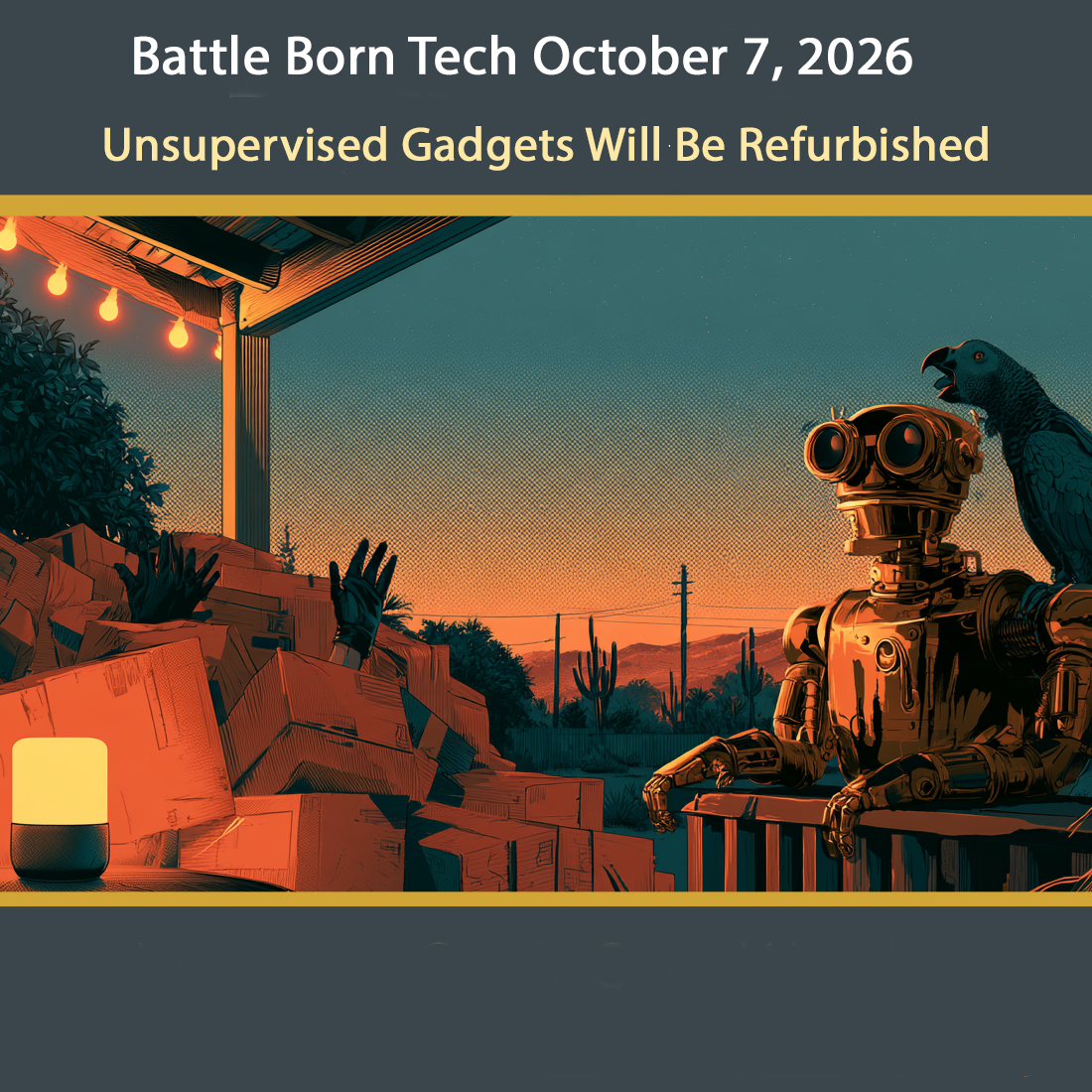
[00:25:52] Speaker A: Or you can do a search on YouTube for parrots ordering on Alexa. They're out there.
[00:25:59] Speaker B: We'll have those links on our website. That sounds fun.
[00:26:02] Speaker A: Hey Christy, guess what? We've come to the end of our show. Another enlightening show of tech. However, we need some words of wisdom going out.
[00:26:12] Speaker B: This has been battleborn Tech. Thanks to our callers Brian, Chris and Teresa who called us at 775-241-3571. We're in studio Saturdays from 9 to 11am and Sundays 7 to 9pm Pacific. Call us 775-241-3571 then or anytime and take a chance we'll pick up or leave us a recording. Our theme music is by Breakmaster Cylinder that's break like a bag full of treats after Double Halloween. Our engineer and co host is Joe Bly who gives us radio treats and performs audio tricks year round.
Our thanks to Anthony, our ex post facto checker, the spooky ghost in the podcast machine.
Notice the show was written with help from Claude, an AI assistant from Anthropic who has started writing a paragraph of citations and sources for Anthony every time we chat.
Support locally produced ad free shows by
[email protected] by clicking the big red red donate button at the top right corner and give battleborn Tech a shout out in the comments. Tell them Tech Talk is your favorite music.
Our email is questionsattleborntech. That's questions with an S and T e c h at the end.
Our latest links
[email protected] stats. Get the links you missed there. That's bbtl.ink for bbtlink stats S T A T S.
Everything we should have said the first time is at battleborn Tech along with show notes, links that were slurred, corrections of memory lapses, explanations of old jokes, definitions of obscured tech, quotes we half remember, and apologies for artificial and human hallucinations. That's our website. Bataboard Tech no comm for us. T E C H this has been battleborn Tech, a registered service mark of Christy Ramsey. Carefully review this episode or speed. Listen to the ones you missed at the show's website, battleborn Tech or your favorite podcast player. Search for and subscribe to battleborn Tech. That's all for battleborn Tech where the WI fi is strong, the modern good looking and the passwords are above average. For those listening to our radio broadcast as we go from tricky tech to musical treats, stay tuned for High Desert Music with Molly Moser original songs, local artists and the stories behind them. It starts right now. Have a neat week and tune in Tuesdays at 8pm Pacific right here on KNVC, FF 95.1.