[00:00:06] Speaker A: Are you in a constant fight with your technology?
And does it seem like the technology is winning?
Well, you've come to the right place.
It's time for Battle Born Tech with your host, Christy.
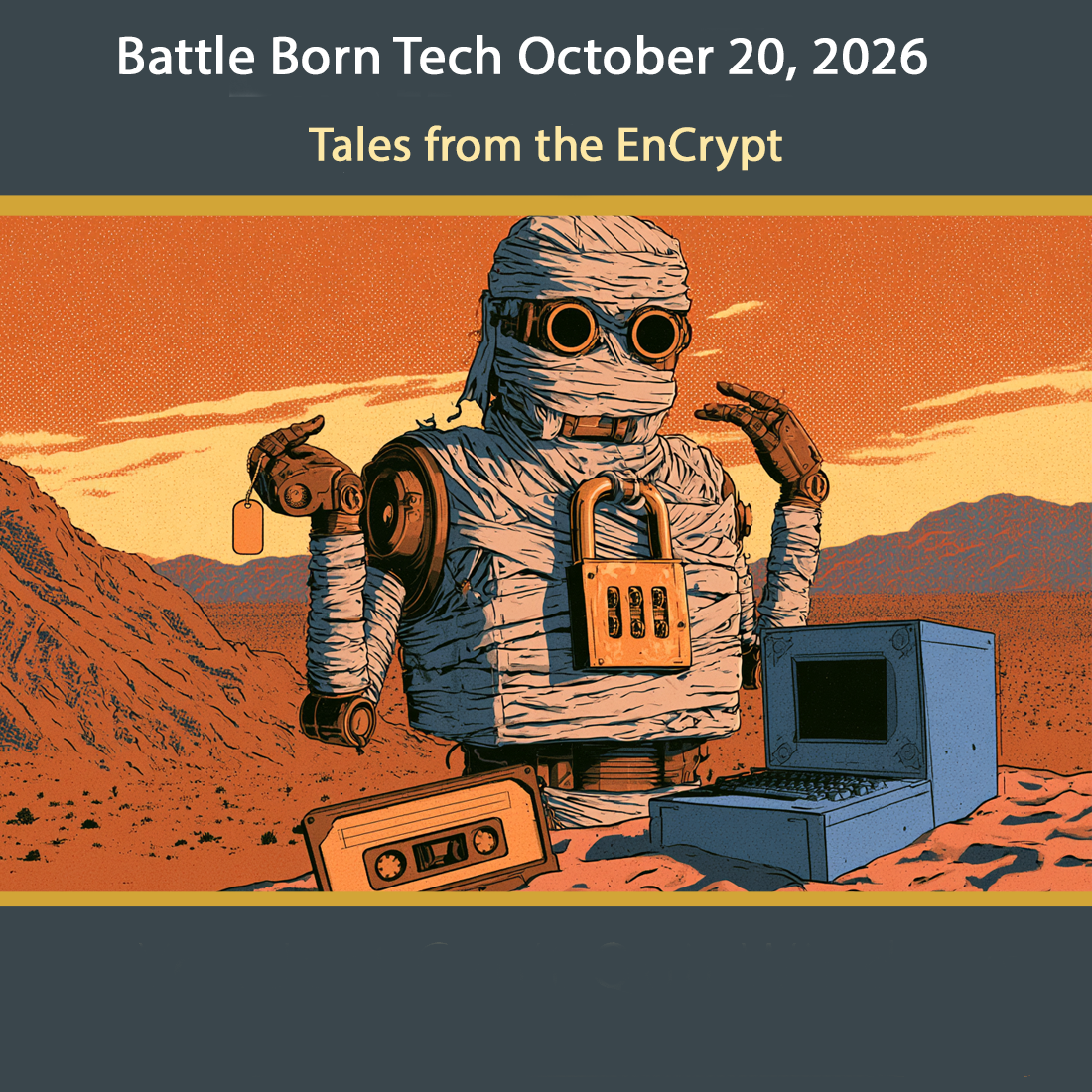
[00:00:28] Speaker B: Even though you make making a sleeping mummy costume so you can be encrypted at rest for Halloween, stay awake for Battleborn Tech now and every Tuesday at 8pm Pacific Broadcasting in Carson City, Nevada on 95.1 FM, streaming everywhere on knbc.org and available anytime on your favorite podcast app.
Rejected by smart app. Call Battleborn Tech, 775-241-3571. We'll get you registered for smart app 775-241-3571. Opinions on Battleborn Tech are those of the host and callers this week. We welcome Ken, Hallie, Tim and Helen. The opinions expressed on this show do not necessarily reflect those of KNVC or Computer Corps who have made exact replicas of Notepad without AI using pen and paper.
[00:01:30] Speaker A: Speaking of which, you heard about the person who went and reverse engineered all of the Adobe products and put them out open source.
[00:01:39] Speaker B: Yeah, Artcraft is what you're talking about. And they are going all things, not just Adobe process, but they've also gone with Microsoft Word, Excel and PowerPoint they like to call them. I think Look Alikes is okay for free and open source. They're in alpha right now.
You can't pay for them, but they say it's free. It's still a little confusing, but definitely something to watch for on the way out.
[00:02:05] Speaker A: And also pay attention to the courtroom briefs because I'm sure that's going to get reviewed.
[00:02:11] Speaker B: They haven't got there yet. Some of them are portable. I want to look at PDFcraft if you're interested. GetArtCraft.com is the way to look at it. GetArtCraft.com or the GitHub account story told.
Watch out, there's a lot of fakes out there. Don't be fooled. These links will be on our website. Battleborn Tech.
[00:02:32] Speaker A: We've got four phone calls today, so let's kick it off with Ken.
And Ken has a follow up for Christy for a computer tech issue that he helped try to solve 55. Zero years ago.
[00:02:51] Speaker C: Vatteborn Tech. Go ahead caller.
[00:02:54] Speaker D: Hi Christy, it's Ken from Ohio, otherwise known as Digital Dorsey.
[00:03:01] Speaker C: So yes, on YouTube. Digital Dorsey, yep.
[00:03:06] Speaker D: Wow.
[00:03:06] Speaker C: Wow. It's been 50 years.
Ken and I hooked up back again at our our 50th high school reunion and, and I said, ken, you got to call in and talk about the first computer I Ever worked on. I know it was your computer, but.
First personal computer I worked on. So what, what computer was that? What year was that? What do you remember?
[00:03:28] Speaker D: That was the, that was the Ohio Scientific osi made by a company in Ohio up in the Cleveland area. And it was. Yeah, it was the Challenger 2P and it had a whole 8K of RAM memory.
And I said K, not Meg, not Gig, just K. Yeah.
And we, we started.
It was.
[00:03:54] Speaker C: Yeah, it was blue. Yeah.
[00:03:56] Speaker D: In a pretty blue case on it and a solid metal case and nothing plastic back in those days.
[00:04:02] Speaker C: Whatever happened to that computer?
[00:04:05] Speaker D: I still own that computer. I still have it and it's still functional.
[00:04:10] Speaker C: Of course you do. Hey, if you want to get rid of it, you know my way.
[00:04:14] Speaker D: Yeah, I should be in a museum by this time. But. Yeah, that was back in 1974, I think. 74. Around that age. Around that time.
[00:04:22] Speaker C: I know it was during high school, which would be before.
I bought a BASIC programming game book. A book of games and written in base.
[00:04:35] Speaker D: Right.
[00:04:36] Speaker C: And we would type, type them games in like, like Mad Men.
Trying to get it in before the compute glitched and rebooted or whatever. Exactly.
You finally had to take that one back and get another one.
Right. And we would, we would try to type in and then we would save it to the cassette port on the cassette tape on a little tape recorder.
[00:05:00] Speaker D: And then.
Right.
[00:05:02] Speaker C: It was a lot of typing.
[00:05:04] Speaker D: It was a lot of typing. We tried to save like every three minutes, you know, so I want to play Lunar Lander.
[00:05:12] Speaker C: I don't know what we were. I think we tried to get the Lunar Lander game going.
Oh my gosh. Curse Cursor graphic games. Cursor based games or text based games.
[00:05:21] Speaker D: Well, it was interesting at that time because the Ohio Scientific basic and it obviously was, you know, a BASIC ROM computer. It didn't have, you know, people ask me, even today, people ask me, well, what operating system does it use?
It doesn't really use an operating system per se. It has Ohio Scientific's system in it to bring this system up. But the only operating system was BASIC on rom and it was Microsoft. It was Microsoft BASIC on rom, which is just amazing. I, I don't know the whole story about that, but in 1974, I have to believe that there were probably people involved with that BASIC that may own the company by now.
[00:06:10] Speaker C: Well, yeah, that was Bill Gates. He started with. Exactly. With the basic.
[00:06:14] Speaker D: Yeah, exactly.
[00:06:15] Speaker C: So I'm not Ms. DOS or Windows or any of that.
[00:06:18] Speaker D: No, no, it was, it was Microsoft basic. So I don't know.
You know, this is always speculation, but Bill Gates may have had his fingers on that.
[00:06:29] Speaker C: Oh, wow. I didn't know that.
[00:06:31] Speaker D: Yeah, right. Yeah. Not necessarily on the ROM that's in the computer, but he had something to do with the code.
[00:06:38] Speaker C: I don't know if he hung out in Ohio very much back then.
Well, that was.
Thanks for calling in. I sort of wanted to do my, you know, my bonafides to the.
I've been. I've been battling tech for over 50 years and here's Kendall. Tell me they did. So what did you. What did you do after that? Continue to work in BASIC or.
[00:07:06] Speaker D: Well, no, actually, I.
Out of. Out of college, I went into.
Obviously, computer. Of course.
[00:07:14] Speaker C: Of course.
[00:07:14] Speaker D: But I did hardware design for several years.
[00:07:20] Speaker C: Yeah. Making sure them cassette ports worked.
[00:07:23] Speaker D: That's right.
[00:07:24] Speaker C: I can tell you that just burned in your soul.
No other high schooler will waste evenings trying to type in BASIC over and over again.
[00:07:33] Speaker D: No.
So I have to tell you a story, Christy. There's actually gentlemen on the Internet.
I can't think of his name. It's not coming to me at the moment, but he's taken all of the Ohio Scientific BASIC tapes and everything that he could find. Apparently he found like a shoebox full, like 50 of them in his father's garage or something.
And he has digitized all the tapes now. So instead of using a tape deck, we're actually just using a PC connected to the input and output for the audio. And we're actually using the digitized by vjooqic audio now to load the programs on the Ohio Scientific.
[00:08:14] Speaker C: Wow. So you still got that thing running, are you?
[00:08:17] Speaker D: Yes.
[00:08:18] Speaker C: You do?
[00:08:19] Speaker D: Yes.
[00:08:20] Speaker C: We got to see pictures and videos. Yeah, right, absolutely. Well, we'll try to find that and put it up on our website. And Ken was good enough to send me a picture, so we'll put that up on our website, too.
So thanks a lot for calling in and thank you.
Thanks for legitimizing me in my history of failing to fix tech.
You know, one of the things you're working on a computer, you're typing, typing. And you know, the possibility isn't broken. It could be broken.
And that one was broken. So that one was broken. I'm glad you spent your career making sure nobody else had to waste evenings typing over and over because of a hardware glitch. All right. Digital Dorsey.
[00:09:02] Speaker D: Thanks for calling.
[00:09:04] Speaker C: Thanks for the connection. Thanks for matterborne checking.
[00:09:07] Speaker D: It was a pleasure, Chrissy.
[00:09:09] Speaker C: Thanks.
[00:09:09] Speaker D: And it was good seeing you at the 50th reunion too.
[00:09:12] Speaker C: Yeah, you too, Ken.
[00:09:13] Speaker D: Thanks. Take care. Bye. Bye.
[00:09:15] Speaker B: As a typey, typey person, I'm always biased or there's some kind of setting to look at, but sometimes things are just broken. And back in those days that cassette port, storage device, even the keyboard, even the monitor were all add ons and so they were a little flaky. Ohio Scientific has an interesting history, especially if you, you're from Midwest or Ohio like I am from. For a while there they were challenging even Tandy in the early days of personal computing. Take a look at the Wikipedia article if you're interested. An amazing thing. And guess what happened to them, Joe? Yeah, they were swallowed up by being bought and resold and bought again and same old story even back then.
[00:10:00] Speaker A: You know, you can probably buy a Cray supercomputer real cheap in a junkyard now. I still remember fiddling around with an Osborne portable, but even that was spanky new technology compared to Ohio Scientific.
[00:10:15] Speaker B: Yeah, that was 75 or 76. We couldn't quite decide.
[00:10:18] Speaker A: Yeah, I think those brain cells have aged out already.
But anyway, there was a hack this weekend on WordPress sites and Hallie left us a message about that very topic.
[00:10:31] Speaker D: Hi Christy, this is Hallie Murphy. So my question is this.
There has been a critical error on this website.
I just got that message when logging onto or trying to log onto the website in WordPress and the help forums are no help whatsoever.
So I'm wondering where do you start to get back in so that you can troubleshoot your page because I can't even log on.
Would have to be happy to chat with you about this.
Appreciate your support. Thank you.
[00:11:09] Speaker C: Bye bye.
[00:11:12] Speaker B: Well, when you get a critical error on WordPress, when the site won't come up and you can't log in, you're immediately going to panic. The first thing to look for is hopefully you've kept up the administrator email inside of WordPress because WordPress will helpfully suggest, hey, things are broken and we'll send you a special link that allow you to log into a recovery mode. Now you can just do it on the website on the URL bar, but that doesn't work as well because it gives you a little token that you can get in and with that it gets into like kind of a Safe mode on WordPress and so you could go through and look for it. It's almost always a plugin that's a problem and you can see which one it is, disable it, remove it, and then you're good to go. This particular one was Update plus, which was fine, but they got broken into, got all the keys stolen, and miscreants got into websites and tried to install malware. The malware.
The malware wasn't the best malware, so it crashed websites instead of stealing them. Maybe. Good news. So make sure you update, update plus, change your passwords, get rid of that extension that you don't recognize, and also check to see if any administrative users are added.
[00:12:27] Speaker A: Yes, and you can also go in via FTP. Good old FTP. Remember FTP?
And you can delete all your plugins and then add them back one by one.
[00:12:39] Speaker B: That's a nuclear option.
[00:12:41] Speaker A: Yeah, I've done that several times. Actually, we do have another phone call here. This is Tim and. Oh, we've got a BitLocker issue.
[00:12:51] Speaker C: Battleboard Tech. Go ahead, caller.
[00:12:54] Speaker D: Okay.
[00:12:54] Speaker C: This is Tim. Hey, Tim. How you doing, Chris?
Great, great. It's Christy. Great, great, Tim.
[00:13:01] Speaker D: What's up?
[00:13:03] Speaker C: Oh, well, I had an issue with a computer I had that had with BitLocker, and I just wondering. I have ordered a new mini CPU and hopefully it'll be here tomorrow and.
Have you jumped over to Linux or. What are you getting?
[00:13:24] Speaker D: Well, it's.
[00:13:24] Speaker C: It comes with 11.
Okay.
[00:13:27] Speaker D: Okay.
[00:13:29] Speaker C: And I just wanted to.
Should I. Should I take out bitlocker right from the beginning or should I not? Yeah, it's up to you. I mean, it's really good. I mean, it does what it says it does. It encrypts your hard drive at rest.
So if somebody took a computer, unplugged, your computer ran away with it, or took the hard drive or something, they couldn't use any of the information, couldn't log in, couldn't use even Windows on it because the whole hard drive would just be a mess of encrypted nonsense without being encrypted.
The downside on that is that, well, that could be you. I mean, if you had a problem with your computer and you say, oh my gosh, I can't boot up my computer now, well, now the hard drive's encrypted, so you may not be able to get your data off unless you saved your key in your Microsoft account.
And a lot of people don't even know they have a Microsoft account or they don't know where it's stored. And Home does this and really doesn't let you know where the key is.
Key is a huge, big jawbreaking line of numbers and letters that let you unlock the hard drive. So most, most people, you know, that don't have special security needs or secrecy needs. You know, it's okay to take it off. I'm just, I'm just going to use it at home.
[00:14:54] Speaker D: So
[00:14:57] Speaker C: the other part about it is that without the, without hardware, hardware enhancements which are coming along, but not here yet, it really takes a performance hit on your computer because all. Everything's encrypted.
So that does slow down your computer.
I think it's noticeable. It's. It's actually measurable. So that's another thought. You're. You're giving up some of your, your computer power, your speed to do that encryption, which you may not want.
So when you get there, it's almost, almost assuredly encrypted. Unless you buy from someone that made it special for you and turn that off.
What you can do in the. Yeah, can you just turn it off? Yeah, in the search you can do. I do encrypt because that gets it up and you get on home and you can get. Data encryption or device encryption settings is really where you want to go. And device encryption, not data encryption is. We'll give you a little slide on off bar that says device encryption. Turn it on or turn it off. You probably want to slip it on and off and then it decrypts it and you can keep working on your computer. You can even turn it off and back on later and it'll continue where it picked up, where it's left off. And after a while it'll be, it'll be unencrypted and you'll be able to recover. If you have some catastrophe, you'll be able to get your data off on another computer without the key.
Another, another question I had that I ran across said that when Windows updates, it sometimes will turn it back on.
Well, I can't confirm that. I doubt it, but maybe it does, but I really doubt if it will. Maybe a major update, like going from one version of it to another, not just the regular monthly updates, but I really doubt that.
But yeah, it's good that it's good to check every now and then. No, no, especially after. If you go like from H26 to H26, H2 or something, and it's a big update, maybe you want to go ahead and check that and check all your other settings as well. It's always good to do.
[00:17:15] Speaker A: Yeah.
[00:17:15] Speaker D: Yeah. Okay. Okay.
All right.
[00:17:18] Speaker C: Hey, Tim, thanks for coming on and thanks for, I don't know, guess my secret. I don't know what we're doing here.
[00:17:25] Speaker D: Okay.
[00:17:26] Speaker C: All right, have a good one. Chris.
Have an unencrypted evening. Okay, thanks, Christy.
[00:17:32] Speaker D: All right. Bye.
[00:17:33] Speaker C: Bye.
[00:17:35] Speaker B: Well, bitlocker is the gift that keeps on gifting even though you don't want it.
Even if you get a computer or if you install Windows 11, it's probably going to have BitLocker turned on. And if you have home, you. You may not even know where the key is. It may not be anywhere. You can get so even more upset to go and check device encryption, not data encryption, device encryption, and see if it's turned on and turn off. If you don't want it on.
I don't know why you would want it on. You get a performance hit, it really complicates and makes impossible any kind of major repairs. If you have to take out the hard drive, the data is just garbage. And it does its job. It encrypts everything, so it's turned on automatically. You want to check not only when you get a new computer, not only when you make a Microsoft account, but also after a major update like what we just had, Microsoft sneaks in and change your settings. So be careful. Make sure, sure, sure, sure. You want your drive encrypt and unaccessible outside that computer because you'll take a performance hit and it's pretty risky. If your computer goes south, it's hard to get the data off, even impossible.
[00:18:46] Speaker A: Well, we've got our last phone call of the day. This is Helen, and Helen has more of an administrative question than a technical one. What do you do with zombie emails from employees that are no longer there?
[00:19:03] Speaker C: Battleboard Jet. Go ahead, caller.
[00:19:06] Speaker D: Hi, I'm hoping you can help me out.
[00:19:09] Speaker C: Okay, who we got on the phone here?
[00:19:11] Speaker D: This is Helen from Carson.
[00:19:13] Speaker C: Hi, Helen, welcome. Welcome to battleborn Tech. I can hope you help if it's a tech question, I hope.
[00:19:18] Speaker D: Yeah, Well, I think it is a tech question. I'm hoping it's up your alley. I work for a couple of different nonprofit organizations, and we're working on policies and procedures. And one of the questions that have come up is when we in the past have asked our administrator, hey, we have an outgoing employee or an outgoing volunteer who was originally assigned an email address for our organization.
And they leave and we call our administrator and say, okay, we want to close that email account because obviously we don't want them accessing it any longer, nor do we want people from the outside being able to continue to email them and also to not give them permissions for social media, etc.
But nowhere.
Yeah. So we're hoping you as a As a tech head can tell us, what exactly does that mean on the side of the administrator when he hears that from?
[00:20:23] Speaker C: Well, good administrator will figure it out. It means at least to block the sign in which it could be as simple as changing the password.
And depending on the account, you may also need to get in.
If you have an administrator, you probably have a manage email. You're not doing Gmail or something.
But if you are doing Gmail, a Gmail workplace, you may have to work on the recovery things and check to make sure those are changed as well. So they can't recover the password kind of thing. So you want to make sure you invalidate those.
[00:21:01] Speaker D: Okay.
[00:21:02] Speaker C: Usually you want to keep the address in live at least for a little bit.
You can forward it or change it into a shared mailbox that everybody can see. Oh, you know somebody this person got it. This person is no longer here who used to do this project, get this email. So who's going to take it? You know, and it goes to three or four people or whatever. But if you just. Or you could just forward it whichever you want.
Now forwarding only sends the new messages on which may be fine. If you convert it to a shared mailbox, well then the old mail is still there.
So depends what you want to do.
So those things you could also forward and then also you can put on another thing where you say, you know, some kind. Hey, so and so is no longer here. If you need to contact someone about, you know, whatever you know, please send them email to here like a, you know, a little away message.
[00:22:14] Speaker D: But yeah, handoff.
[00:22:17] Speaker C: Yeah, yeah, yeah.
To say you're doing that, you got to cut it watch on the licensing. If you're, if you got a big thing and you got Microsoft 365 or something licensing that's going to be an issue.
A shared mailbox doesn't take a license as long as it stays under 50 gigs. So your administrator will know those policies and procedures and good times.
Six to 12 months might be get with an auto reply and to the general address.
I don't know.
You only have to. I'm not a lawyer. You only have to turn over the records you have.
So I don't know how much record you want to keep. There are services out there that will archive emails or you could do it manually and your administrator would know about that.
I like Mail Store.
It's inexpensive or free for personal and inexpensive. And it'll suck down an inbox and put it in a nice little database.
That might be something you want to Do. So if you ever need it, you could keep that offline. And if you ever need it, you can search for it and find references to it. But is that what you're thinking?
[00:23:37] Speaker D: So that's kind of. I think that was one of the other questions that came up is every time.
Well, I think, I don't know how many questions you get along this same vein, but it's one of those things where you don't really think about it. You've already taken the action with several other outgoing people and you're like, well, wait a minute. We have nothing in writing that tells us how we're actually doing this.
But the question also comes up because of when you are working, where it matters, how many emails you have, how many users it can affect. Praise.
[00:24:09] Speaker C: Yeah, yeah. If you're doing licensing, if you got a website and it's giving you free email, they probably don't care.
The one thing you need to do is change that login, change that login password and then the next thing to
[00:24:25] Speaker D: do
[00:24:28] Speaker C: may be forwarding it to someone so it doesn't go into the big dark hole and people get mad at your organization. Then the third thing would be like an auto reply.
Then the fourth thing for someone that really has a lot of time in their hands would be to archive that email history and keep it.
[00:24:46] Speaker D: Okay. Yeah, that sounds very. You have been very helpful and lucky for us, we have a brilliant administrator.
I think we've got a good grip on it.
[00:24:58] Speaker C: All right. Well, it sounds like a good grip on it. It's something we look for at battleborn Tech. And thanks for calling about the wonders of email when the employee wanders away.
[00:25:09] Speaker D: Yes. And thank you so much. Fully appreciate your insight. All right, thanks.
Bye. Bye.
[00:25:16] Speaker B: Well, one of the things we didn't discuss too heavily was if you have another professional organization standard, if you're a company or my goodness, HIPAA or government or military or whatever you got, they may have special requirements for you to follow. Make sure you follow those check out and make sure with that. Also, licensing is an issue. If you're a larger. If you're a larger.
A larger. A larger organization and your IT people will know that to make sure.
So be aware of the issues of someone leaving and make sure you lock those down.
Most important thing, change out the access.
[00:25:58] Speaker A: Even the pragmatic stuff like door codes and parking garage. Yeah. Who gets their parking place?
Well, Christy, it's only been half an hour, but we have come to the end of the program. How about some words of wisdom going
[00:26:13] Speaker B: out this has been Battle Born Tech. Thanks to our callers Ken, Hallie, Tim and Helen who called us at 775-241-3571. We're in studio Saturdays from 9 to 11am and Sundays 7 to 9pm Pacific. 775241 3571. Call then or anytime and we'll set up a time to call you back. Our theme music is by Break Master Cylinder. That's break like a tackle, not a tire. Our engineer and co host is Joe Bly who takes this orange pumpkin and carves out radio gold. Our thanks to Anthony, our ex post facto checker. The folks at Pauly Market call him for advice and he gives them right after the event.
Notice this show was written with help from Claude, an AI assistant from Anthropic. Every pun in this outro makes it a little dumber. Researchers call that model collapse. We call it Tuesday.
Support locally produced ad free shows by
[email protected] by clicking the big red donate button at the top right corner and give battleborn Tech a shout out in the comments. Tell them that TED Talk is your favorite music.
Our email is questionsattleborntech. That's questions with an S and T E C H at the end. Our latest links
[email protected] stats. Get the links you missed there. Everything we should have said the first time is at battleborn Tech along with show notes, links that were slurred, corrections of memory lapses, explanations of old jokes, definitions of obscure tech, quote sweet half remember and apologies for artificial and human hallucinations. That's our website battleborn Tech.
No comm for us. T E C H this has been battleborn Tech, a registered service mark of Christy Ramsey. Carefully review this episode or speed. Listen to the ones you missed at the show's website, battleborn Tech or your favorite podcast player. Search for and subscribe to battleborn Tech. That's all for battleborn Tech where the WI fi is strong, the fonts are good looking and the passwords are above average. For those listening to our radio broadcaster, go from the server room to the back porch. Stay tuned for High Desert Music with Molly Moser, original songs, local artists and the stories behind them. It starts right now. Have a neat week and tune in Tuesdays at 8pm Pacific right here on KNVC FM 95.1.